
Raytac today announces the u.FL connector version module, MDBT42Q-U series which selects Nordic nRF52832 and nRF52810 SoC to provide the Bluetooth Low Energy (Bluetooth LE, aka BLE) wireless connectivity for IoT applications.
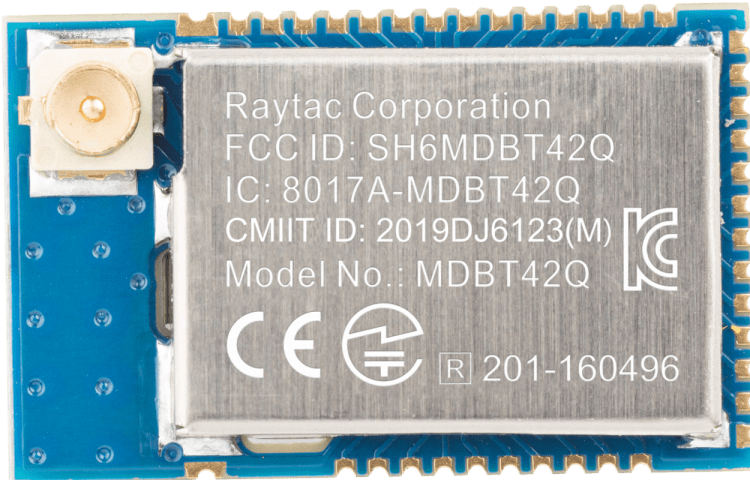
Raytac today announces the u.FL connector version module, MDBT42Q-U series which selects Nordic nRF52832 and nRF52810 SoC to provide the Bluetooth Low Energy (Bluetooth LE, aka BLE) wireless connectivity for IoT applications.
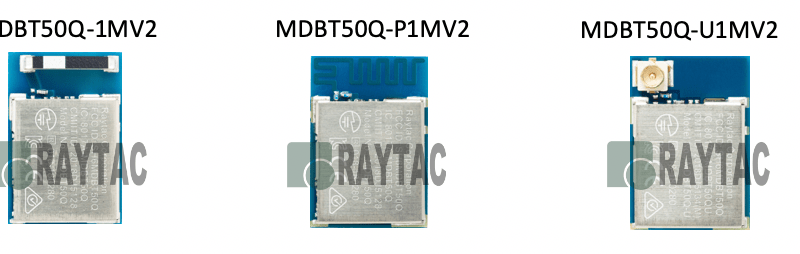
Nordic Semiconductor has updated nRF52840 SoC version from Rev.1 to Rev.2. Raytac announced that the module built by nRF52840 with Rev.2 SoC now has started the mass production shipment.
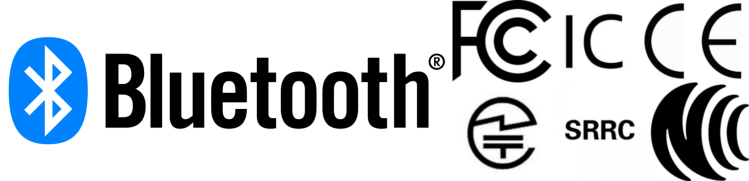 Obviously, each and every certification has their own rules, so that’s how we’re going to do this – one by one.
Most people in the industry have heard of FCC, but for you who really don’t know what it is, it’s the Federal Communications Commission in the United States of America. Although considered as a center for these regulations, you will soon realize that they’re not really the center of these regulations and laws at all.
So for the FCC certification, you can as a Raytac customer:
But you need to:
When it comes to the Industry Canada (yes, that’s what IC stands for), the regulations and procedures are much like their sibling FCC.
But, just like FCC, you need to:
TELEC, sometimes referred to as MIC, is surprisingly simple.
What you will need to do is:
Yes – you can actually just go right ahead and implement and/or commercialize your product after its parts are all proven TELEC certified which is pretty neat. However, there is another test that you as a customer can do if you wish, and that is VCCI which is just like the EMC tests mentioned above with the only difference (in terms of regulation) is that it’s NOT mandatory. Thus, you can choose not to do it as well.
As for the Korean regulation, these are the things you will have to do:
These two tests needs to be done locally (Korean test lab) and depending on which test it is, you’ll have to deal with them differently.
Firstly, for the wireless test, you can refer to Raytac’s own certification report so that the lab knows the module itself has passed although it still needs to be tested.
Secondly, the for wire (IO port) test, you will have to do from scratch essentially.
Thus, even though we have applied for KC for our modules, you will still have to test them locally.
Although CE is considered as strict regulation, the procedure is pretty simple. Simply put, you will have to conduct tests on a few different samples, and the procedure goes:
Simply put, you will have 2 scenarios:
They go by a “Platform policy" which basically means that as long as you are just adding functionality onto an already existing feature, then you can leverage Raytac’s NCC ID on your product’s label directly (module policy just like FCC/IC/TELEC/SRRC). Otherwise, you will have to apply for a new one.
Thus, the procedure becomes:
Australia’s RCM (Regulatory Compliance Mark) is a lot like CE, much like IC is similar to FCC.
When applying to this certification, you will be in either of these two circumstances:
Last, but definitely not least, is the Bluetooth Certification. For this one, choosing Raytac’s modules will bring you great benefits. But first, you need to:
For your first product, that is all you will have to do. But what if you come up with a new model of the product? Before you ask, I will answer “No – you don’t necessarily have to purchase another DID." In order for this to be true though, your new product cannot have either of these things changed:
Although you might be able to apply for these certifications all on your own without trouble whatsoever, we always encourage customers using Raytac’s BLE modules to contact us before hand so that we can provide you valuable information. This way, you will get unbiased guidance which will save you time and money.
As always – Happy tinkering everybody 🙂
| www.raytac.com | email: cs@raytac.com | Tel: +886.2.3234.0208 |
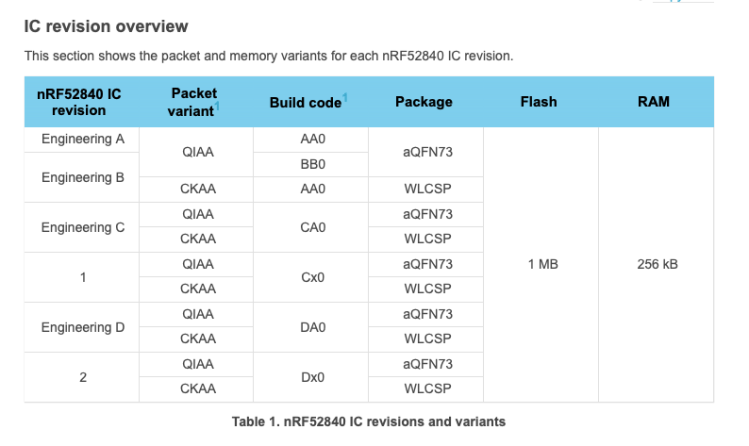
Raytac would like to announce Product Change Notice (PCN-19051001) for below Module lines which are built based on Nordic nRF52840 Solution
Correspond to Nordic new revision of the IC with key changes
(According to Nordic PCN No.: PCN-111 rev. 1.0)
nRF52840 SoC Revision changed from Rev.1 to Rev.2 (Build Code Changed from CXX to DXX)
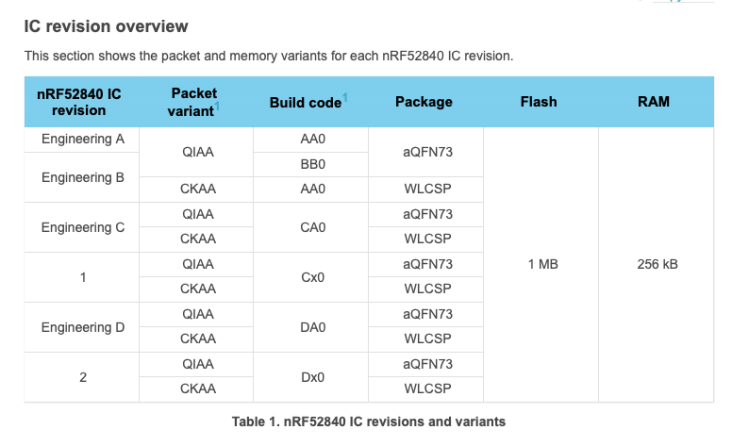
From IC Revision 1 to 2While there are quite a few changes available for review in the nRF52840 documentation, there is update that is particularly important for many users out there, including a large amount of our own customers. The update I am talking about is about the power supply.
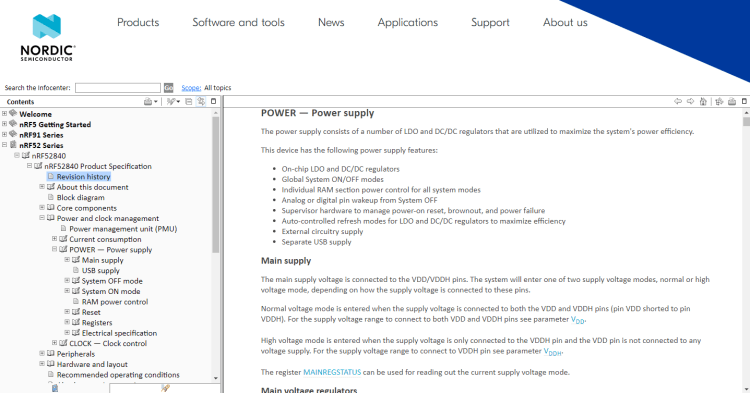
First things first – if you’re interested in reading the whole documentation for Nordic Semiconductor’s nRF52840, then look no further than their Infocenter.
As you can see in the picture below, there’s a lot of information about LDO and DC/DC regulators. That is exactly the main topic of today’s post.
On nRF52840 version C, when changing from 5.5V to 3.3V, you had to use LDO mode in order for the chip to function properly. In the new chip version 2, you won’t have to change to LDO mode as you can directly use REG0 DC to DC.
I will let the Infocenter documentation speak for how it works in detail as quoted below:
The system contains two main supply regulator stages, REG0 and REG1.
Each regulator stage has the following regulator type options:
Low-dropout regulator (LDO)
Buck regulator (DC/DC)
In normal voltage mode, only the REG1 regulator stage is used and the REG0 stage is automatically disabled. In high voltage mode, both regulator stages (REG0 and REG1) are used. The output voltage of REG0 can be configured in register REGOUT0. This output voltage is connected to VDD and is the input voltage to REG1.By default, the LDO regulators are enabled and the DC/DC regulators are disabled. Registers DCDCEN0 and DCDCEN are used to independently enable the DC/DC regulators for the two stages (REG0 and REG1 respectively).
When a DC/DC converter is enabled, the LDO for the corresponding regulator stage will be disabled. External LC filters must be connected for each of the DC/DC regulators being used. The advantage of using a DC/DC regulator is that the overall power consumption is normally reduced as the efficiency of such a regulator is higher than that of a LDO. The efficiency benefit of using a DC/DC regulator becomes particularly prominent when the regulator voltage drop (difference between input and output voltage) is high. The efficiency of internal regulators vary with the supply voltage and the current drawn from the regulators.
Note: Do not enable DC/DC regulator without an external LC filter being connected as this will inhibit device operation, including debug access, until an LC filter is connected.
We hope you get a better understanding about the update from nRF52840 Revision 1 to 2 and its power supply.
Raytac now has started supply module demo board, MDBT50Q-DB, build by nRF52840 v2 SoC.
If you would like to purchase our MDBT50Q-DB demo board (deployed module: MDBT50Q-1MV2) on it, you can get one on eBay or Verical.
We at Raytac wish you all a nice day and happy tinkering 🙂
| www.raytac.com | email: cs@raytac.com | Tel: +886.2.3234.0208 |


To introduce this edge cutting service network, LINE Things provides various development kits help developers easy reaching out the real scenario. The kit uses Raytac MDBT42Q-512KV2 module deployed Nordic nF52832 solution to built a completed LINE Things demo board, circuit diagram, hardware design reference, and even source code available published in GitHub. At the mean time, LINE also proposed a LINE Things Developer Trial Program in progress.

LINE, as one of the most popular instance messaging service provider in the world, now has brought the connection evolution from individual communication to social community. Raytac encourages developers to explore the LINE Things by visiting the hyper link provide in the article or direct contact LINE to understand more about the benefit which may tremendous change crowd’s life in the near future.
Developers who are interested in Line Things may visit below link for registration
https://feedback.line.me/enquete/public/3545-3I7tVA5i
Message can use Chinese, English and Japanese, LINE Things staff in each country will respond.
| www.raytac.com | email: cs@raytac.com | Tel: +886.2.3234.0208 |

Özdisan Elektronik A.Ş. was founded in 1980 and currently is the leading electronic components distributor in Turkey. The headquarter located in Istanbul and built up 4 sales offices and warehouse in major cities in Turkey cities(Istanbul, Ankara, Izmir, Bursa). Employed RD FAE capability to support the development and evaluation consultant and also Marketing & Sales service.
Not only distribution service, Özdisan Elektronik A.Ş. but also expanded business to PCB & PCB assembly, LED lighting solutions, aluminum coolers aimed to achieve the synergy collaboration all the way from product idea emerging, developing and mass production.
IoT now has become a part of people’s life experience and Bluetooth is the key protocol connecting between human and IoT appliance.
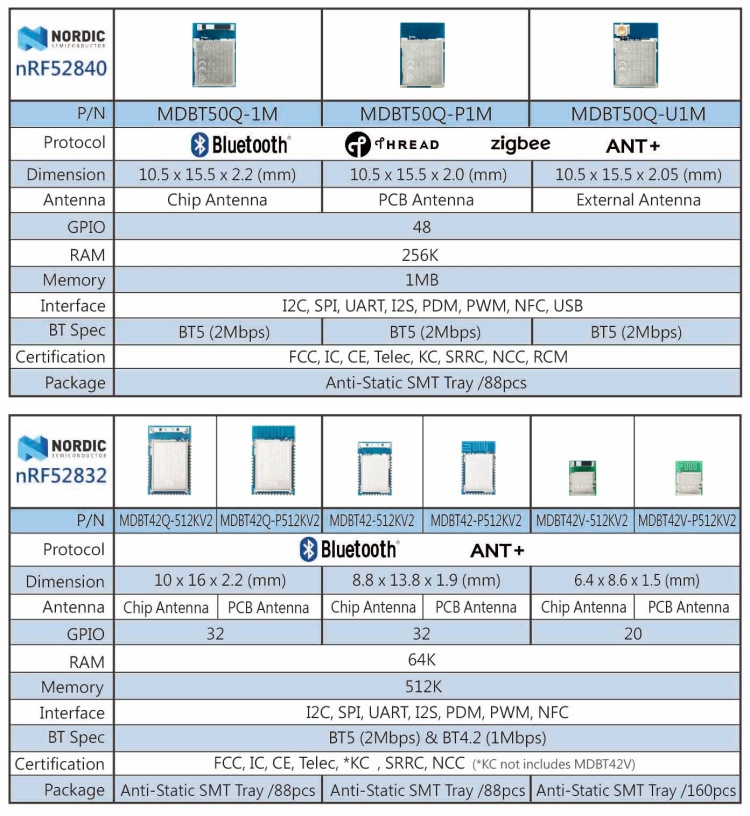
Raytac employees Nordic’s solution developed series of modules which is a recommended 3rd party module maker listed in Nordic website. All modules from Raytac comes with superior RF efficiency, reliable quality, Bluetooth certification granted, and FCC/IC/CE/Telec/KC/SRRC/NCC pre-certified. Developers who deployed Raytac’s module into products may save lots of efforts in RF design expertise and obtain the low cost and time-to-market efficiency.
With Raytac’ Bluetooth Low Energy module joined the line card, Özdisan Elektronik A.Ş. expects to advance the service from the Bluetooth world connecting to an unlimited future.

Contact Window
Okan Abdi
Genel Müdür Yardımcısı/Deputy General Manager
Özdisan Elektronik Paz. San. ve Tic. A.Ş.
email: oabdi@ozdisan.com Tel: +90 (61) 420 1882
website: www.ozdisan.com
İbrahim Ekmekçi
Saha Uygulama Mühendisi /Field Application Engineer
Özdisan Elektronik Paz. San. ve Tic. A.Ş.
email: iekmekci@ozdisan.com Tel: +90 (61) 420 1882 /Ext:230 Mobile: +90 (534) 014 78 76
website: www.ozdisan.com
| www.raytac.com | email: cs@raytac.com | Tel: +886.2.3234.0208 |
Raytac AT command is built based on Nordic UART service, aka NUS, which is similar to SPP (Serial Port Profile) applied in Classic Bluetooth (BT2 and BT3)
To service the Bluetooth bridging works, AT command modules or dongle comes with both Central/Master & Peripheral/ Slave role available.
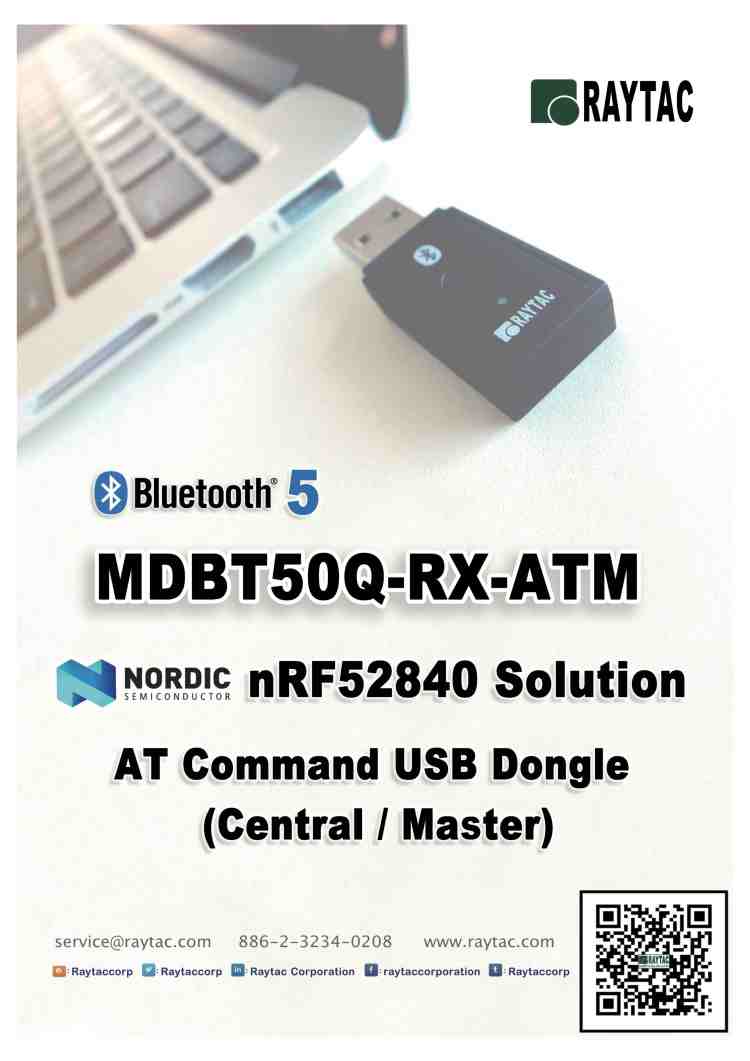
Latest released MDBT50Q-RX-ATM is a USB dongle designated to connect to PC or Machine acted as the Central / Mater role supporting below commands.
List of supported commands
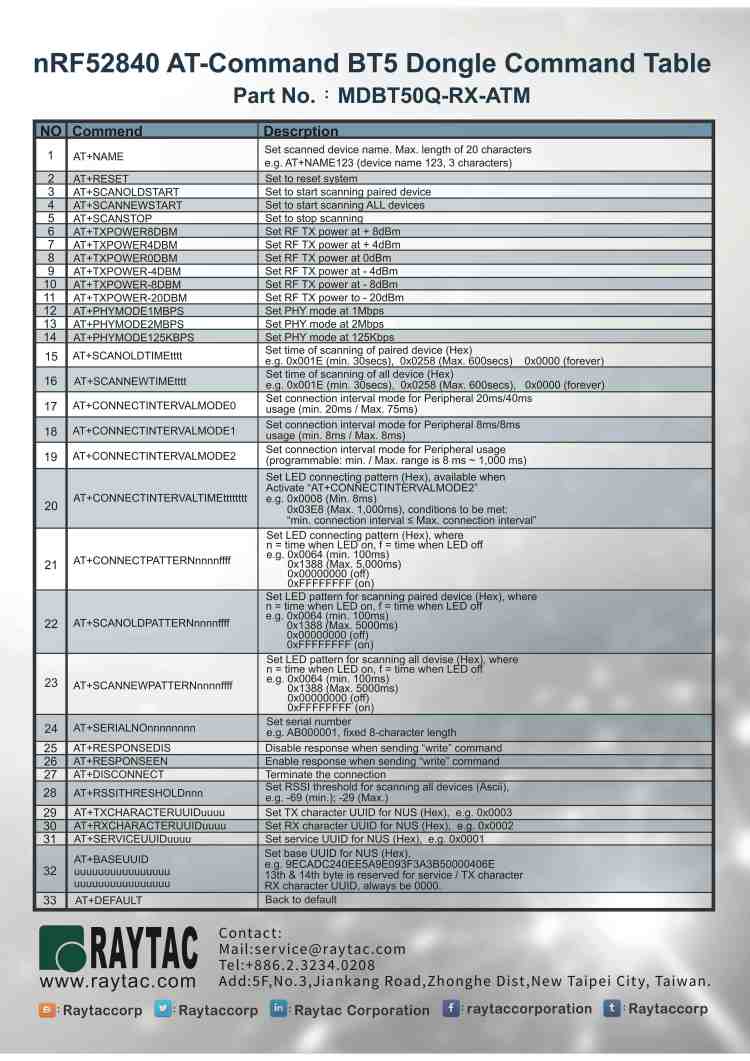
(nRF51822 & nRF52832 & nRF52810 & nRF52811 & nRF52840)
| www.raytac.com | email: cs@raytac.com | Tel: +886.2.3234.0208 |
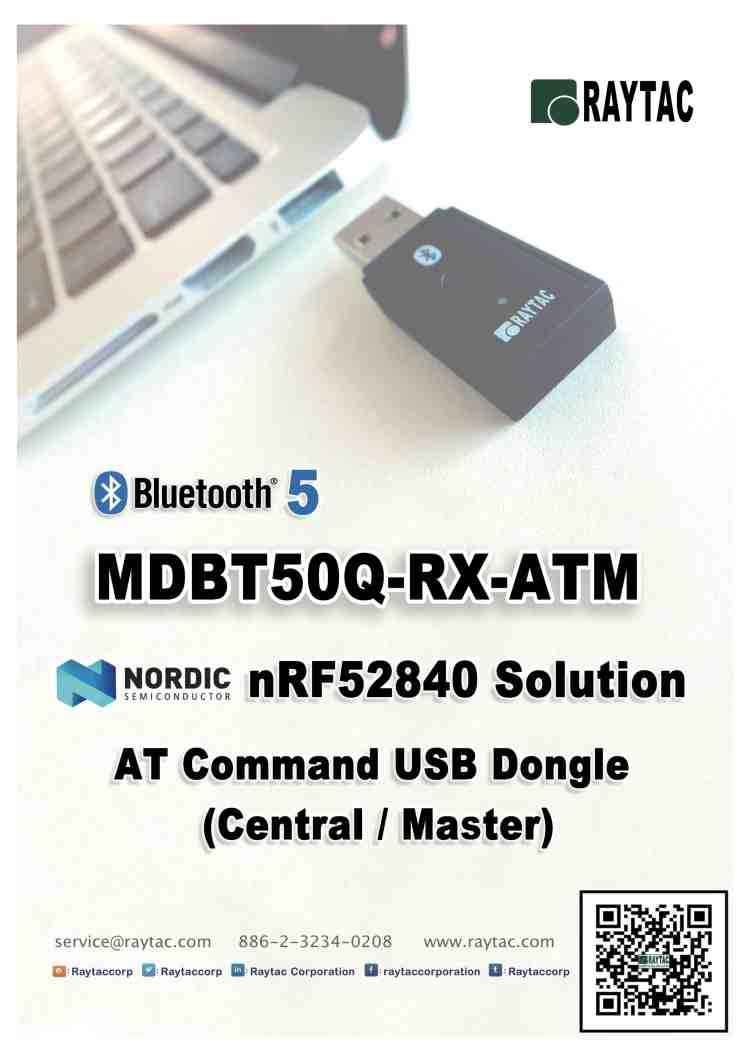
Raytac today announced (Central / Master) AT command dongle released.
Part No.:

nRF52840 is Nordic’s latest and advanced solution, which brings a new interface “USB" from other lines, has drawn the attention among developers.
Raytac developed AT Command (Master / Central ) solution based on nRF52840 solution, fulfilled the demand of USB interface, missioned to deliver a full coverage of AT Command product line.
Raytac’s nRF52840 USB AT Command dongle, MDBT50Q-RX-ATM is a BT5, FCC/IC/CE/Telec/KC/SRRC/NCC/RCM/WPC pre-certified dongle which is eliminating the need for RF design expertise, and speeding time to market for complex M2M IoT applications.
AT command module is an easy solution provides developers a quick breakthrough to Bluetooth connection. Without firmware effort needed, simply have commands setting on MCU and the start to enjoy the implement of bridging connectivity between devices through Bluetooth.
After Raytac’s completed both Central (Master) & Peripheral (Salve) role AT command module projects, the USB interface has brought up the strongest demand by developers.
| www.raytac.com | email: cs@raytac.com | Tel: +886.2.3234.0208 |
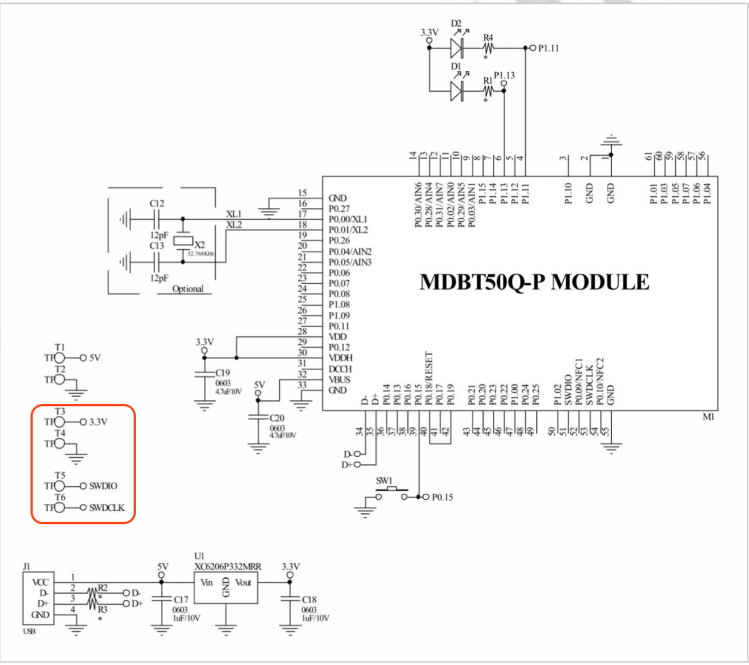
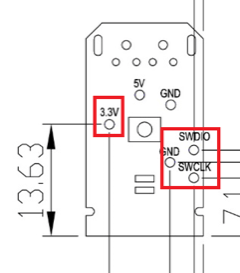 Now we know what to look for and where they are, so now we have only got to tell you how to use them.Some people might not know this, but for developing these things, you need to get something called J-Link to connect your MDBT50Q-RX to your desktop. However, since this J-Link, when buying the official one from SEGGER, is very expensive, we strongly recommend you to just buy the nRF52840-DK from Nordic Semiconductor as it can be used as a J-Link through their software development kit (SDK) called nRFgo Studio and is MUCH CHEAPER than the official J-Link from SEGGER is.
Here you will have to pay attention to the fact that you have to connect J-Link pins 3, 5 & 9 to GND. Otherwise, you won’t be able to burn anything onto your dear MDBT50Q-RX.
The physical connection should look like this:

Pay attention to the direction of the cable, because that will also matter. The direction we mean in this case is which way the slim strip of red is facing.
As we have just revised our MDBT50Q-RX, our customers who have been developing firmware for our USB dongle should take a look at our previous blog post in which we explain about the changes made or contact us directly at service@raytac.com
Have a good day and we at Raytac wish you smooth and happy tinkering 🙂
 Raytac Corporation