Raytac Product Change Notice(PCN) Announcement for Nordic SoC USB-A Dongle – MDBT50Q-RX Series

Raytac Corporation would like to inform all customers and partners of an official Product Change Notice: PCN-25100801 regarding the following product series:

Affected Series
MDBT50Q-RX Series (nRF52840/833 based USB-A dongles)

Affected Models
MDBT50Q-RX (Product Link)
MDBT50Q-RX-33
MDBT50Q-RX-ATM (Product Link)
MDBT50Q-RX-ATMS

Reminder
This PCN involves:

  1. Update of Raytac’s company logo on the nameplate, and
  2. Addition of NCC logo on the back label.

There are no changes to product function, performance, quality, form factor, or safety compliances. All existing certifications and technical documentations remain valid.

We kindly invite our customers, distributors, and partners to update your records accordingly. For any questions or support regarding this update, feel free to reach out via: service@raytac.com.

Full details of the PCN please see below(Click on the images to zoom in).
Remark: Please take note of the final shipment date.


Edited by Business Development Manager: Tony Yin

Raytac Corporation 勁達國際電子股份有限公司 / Raytac Corporation (USA) / abietec Inc.
A Bluetooth, Wi-Fi, and LoRa Module Maker/ODM & OEM Manufacturer based on
Nordic nRF54; nRF53: nRF52; nRF51; nRF7002
Semtech Specification: SX1262


Bluetooth Specification: BT6 ; BT5.4 ; BT5.3 ; BT5.2.
Wi-Fi Specification: Wi-Fi 6
LoRa Specification: LoRaWAN


All products are FCC/IC/CE/Telec/KC/RCM/SRRC/NCC/WPC/RoHS/Reach Pre-Certified.
http://www.raytac.com
https://www.raytac.com/contact/
email: sales@raytac.com
Tel: +886-2-3234-0208(TW)/+1-626-217-3139(USA)

Why Does Raytac AT-Command Module Not Require An End Code Mechanism?

Developers may be familiar with using ‘\n’ (hex 0x0A) or ‘\r’ (hex 0x0D) as end codes to determine the end of a data packet when writing programs. In the original Nordic SDK example code, ble_app_uart, is to consider the reception of 244 bytes or the presence of ‘\n’ (hex 0x0A) or ‘\r’ (hex 0x0D) as end code as the end of a data packet. The program then sends this received data via BLE to APP.

Developers encountering Raytac AT-Command module for the first time may find it very unfamiliar and be puzzled by the absence of 0x0A or 0x0D end code. You may raise questions about how to receive complete information without relying on these end code? Therefore, we’ll provide explanations for common use cases of AT-Command in both connected and disconnected scenarios:

In the connected condition –

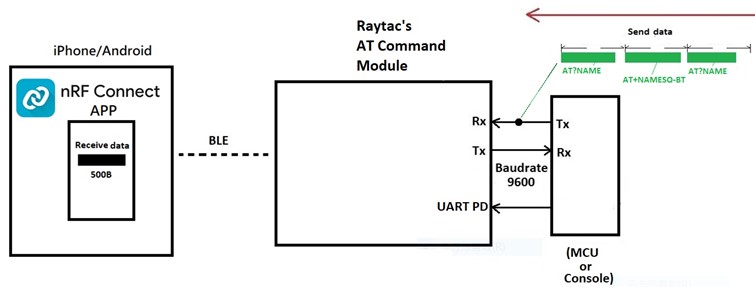
Raytac’s AT-Command module operates in Pass-Through mode. For instance, when the APP sends 0x41 0x42 0x43 (3 bytes) through the module to the MCU, the MCU will receive only 0x41 0x42 0x43 (3 bytes). When APP sends these 3 bytes, there is no need to include the 0x0D end code or 0x0A end code at the end. The same approach applies when the direction of transmission is reversed (i.e., when the MCU sends to the module and then to the APP).

Here, it’s crucial to note that there is a specific consideration for the “Data Interval" (DI) setting between transmitting one data packet and the next. Failure to configure the DI appropriately may result in packet loss and lead to Bluetooth disconnection shortly after data transmission. The recommended DI values vary at different Baud rates, and you can refer to the AT-Command specification for suggested DI values.

As an example, consider Raytac AT-Command module in the scenario of “Mobile App -> Module (MDBT42V-AT) -> MCU," with a Baud rate of 9600, no flow control, and a data length of 244 bytes. In this case, the DI value for transmitting data must be at least 250ms to prevent packet loss.

In the unconnected condition –

Providing explanations to the Bluetooth module by sending AT commands from the MCU (or Console) is illustrated below. There is no need for 0D or 0A end codes at the end.

AT?NAME

AT+NAMESQ-BT

AT?NAME


Edited by Sales Manager: Ms. Vicky Huang

Raytac Corporation 勁達國際電子股份有限公司 
Bluetooth & WiFi module maker based on Nordic nRF54, nRF53, nRF52, nRF7002 solution
BT5.4 &BT5.3 & BT5.2 & BT5.1 Qualified, FCC/IC/CE/Telec/KC/RCM/SRRC/NCC Pre-Certified. Bluetooth Solution: nRF54, nRF5340, nRF52840, nRF52833, nRF52832, nRF52820, nRF52811, nRF52810, nRF52805, nRF51822 WiFi Solution: nRF7002
http://www.raytac.com
email:service@raytac.com
Tel: +886.2.3234.020

New Distribution Partnership in India Region – Millennium Semiconductors

Raytac Corporation, a globally recognized third-party Bluetooth module supplier endorsed by Nordic Semiconductor, has announced a strategic collaboration with Millennium Semiconductor, a specialized electronic agent, starting from November 2023. The establishment of this partnership aims to jointly expand into the Indian market and provide comprehensive services to customers in different regions. Raytac Corporation has consistently focused on the wireless field, earning a reputation as a leading provider of Bluetooth Low Energy modules with outstanding technological capabilities. Additionally, Raytac offers the latest WiFi + BLE modules and a complete range of solutions from Nordic.

The product lineup includes series such as nRF54, nRF5340, nRF52840, nRF52833, nRF52832, nRF52820, nRF52811, nRF52810, nRF52805, nRF51822, all of which have obtained qualifications for BT5.4, BT5.3, BT5.2, and BT5.1. Furthermore, the nRF7002 represents the first device in our array of distinct Wi-Fi products, seamlessly combining with Nordic’s established ultra-low power technologies. Raytac Corporation’s modules have received Bluetooth (QDID/DID/BQB) and regulatory certifications from various countries and regions, including FCC (USA), CE (Europe), IC (Canada),TELEC (Japan), KC (Korea), SRRC (China), NCC (Taiwan), RCM (Australia/New Zealand), and others.

In addition to delivering excellent performance and transmission distances, Raytac Corporation’s modules are relatively compact in size, offering a diverse range of module series choices. This flexibility empowers developers to design without being constrained by module dimensions. Furthermore, the inclusion of AT Command by Raytac facilitates a quick entry for developers into the realms of Bluetooth and the Internet of Things.

Millennium Semiconductors India Private Limited, 

17/18/19, 2nd Floor, Mahalaxmi Heights, Mumbai-Pune Road, Pimpri, Pune 411 018, Maharashtra, INDIA.

+91 20 67177100 / 151, +91 9130015701

info@millenniumsemi.com

Edited by Sales Manager: Ms. Mandy Chao

Raytac Corporation

勁達國際電子股份有限公司
Bluetooth & WiFi module maker based on Nordic nRF54, nRF53, nRF52, nRF7002 solution
BT5.4 &BT5.3 & BT5.2 & BT5.1 Qualified, FCC/IC/CE/Telec/KC/RCM/SRRC/NCC Pre-Certified. Bluetooth Solution: nRF54, nRF5340, nRF52840, nRF52833, nRF52832, nRF52820, nRF52811, nRF52810, nRF52805, nRF51822 WiFi Solution: nRF7002
www.raytac.com
email:service@raytac.com
Tel: +886.2.3234.0208

AT Command Tutorial: MDBT42Q-AT/PAT

AT commands play a crucial role in wireless communication, IoT, and embedded systems.

This guide aims to assist developers in creating an appropriate environment for efficient AT command usage, ensuring smooth communication and application operation.

Credit to Hanyu Hsu /Avnet Taiwan.

Edited by Sales Manager: Ms. Mandy Chao

Raytac Corporation 勁達國際電子股份有限公司

Bluetooth & WiFi module maker based on Nordic nRF54, nRF53, nRF52, nRF7002 solution
BT5.4 &BT5.3 & BT5.2 & BT5.1 Qualified, FCC/IC/CE/Telec/KC/RCM/SRRC/NCC Pre-Certified.
Bluetooth Solution: nRF54, nRF5340, nRF52840, nRF52833, nRF52832, nRF52820, nRF52811, nRF52810, nRF52805, nRF51822 WiFi Solution: nRF7002
http://www.raytac.com
email:service@raytac.com
Tel: +886.2.3234.0208

Nordic nRF52805 module / MDBT42T Series By Raytac Corporation

Raytac announced nRF52805 module, MDBT42T series, has moved to mass production stage.

MDBT42T series module deployed nRF52805 WLCSP package combined with Raytac’s experienced RF design, provides a 7.2 x 11.2 mm dimension which is optimized for size constrained applications.
MDBT42T module provide 2 antenna options for customer’s selection:
Chip Antenna: MDBT42T-192K: 7.2 x 11.2 x 2.05 mm
PCB Antenna: MDBT42T-P192K: 7.2 x 11.2 x 1.8 mm

Nordic nRF52805 & nREF52820 Module

Raytac Released MDBT50Q (Dual Roles / BT5 Long Range) AT Command Module

Raytac is glad to announce a brand new AT command module line released today.

Highlight 

* Supports BT5.1/ BT5 Long Range Feature
* Works either as Central (Master) or Peripheral (Slave)
Module
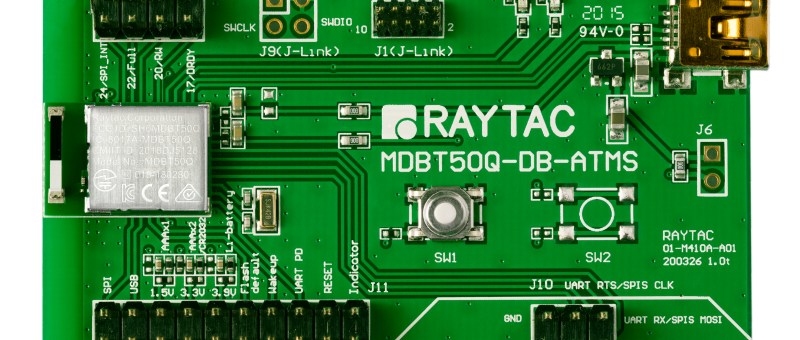
Demo Board
MDBT50Q-AT-UART-ATMS

Raytac Product Change Notice (PCN) Announcement for AT Command Series Module

Raytac would like to announce Product Change Notice (PCN-20051101) for AT Command modules which built by nRF52832 SoC Build Code EXX (Version 2) includes part no.: MDBT42Q-ATM / MDBT42Q-PATM / MDBT42V-AT / MDBT42V-PAT series.


The major description of this PCN is refer to the update of marking on the shielding case. Apart from the appearance change herein,  there is no further function, quality or safety regulation is affected. 

In case there is anything unclear for this PCN , please do not be hesitated to contact Account Manger for further assistance.

Raytac Corporation 勁達國際電子有限公司

A BT5.2 & BT5.1 & BT5 & BT 4.2 module maker based on Nordic nRF52 & nRF51 solution 

(nRF52840 & nRF52833 & nRF52832 & nRF52820 & nRF52810 & nRF52811 & nRF51822)

www.raytac.com          email: cs@raytac.com          Tel: +886.2.3234.0208

Raytac’s UART Service (AT Command) – How do you get started?

Easy! At least when you know what to do. Many of our customers just want a device that provides Bluetooth technology to their product or solution that they’ve developed. However, utilizing the full capacity of the Bluetooth protocol is not always easy and sometimes not even necessary. For these customers, choosing Raytac’s modules/dongles loaded with AT Command, such as MDBT50Q-RX-ATM, is the best choice.
But even a product such as MDBT50Q-RX-ATM that is supposed to make it easy for customers to wirelessly transfer data from one device to the next can be difficult to use – especially when you don’t know HOW.So, I thought we’d take this in two simple steps.

  1. Device Name

To be really sure that you can connect to the device thus making you able to pair with it, you will have to make sure that the device name setting in the AT Command list is set to the name you want or need.
For example, if you have a device set to have the name “I_love_Bluetooth" and you haven’t changed the settings in the AT Command, you will not be able to pair your MDBT50Q-RX-ATM with this device.
As you can see in the picture below, the default setting for this device’s name is “Raytac AT-UART".

When editing this name, you get a smaller window like this popping up:

Make sure that the name set on your device that you wish to connect with the dongle AND this name in the AT-Command device’s list are the same.

  1. RSSI

This is a trickier part – especially when you don’t know what it is.
RSSI stands for Received Signal Strength Indicator and, just like the name implies, is a value of strength of which the incoming signal has to be in order to even be considered by the scanning device.
In other words, the lower the value is set to, the weaker signals the scanning device will show.
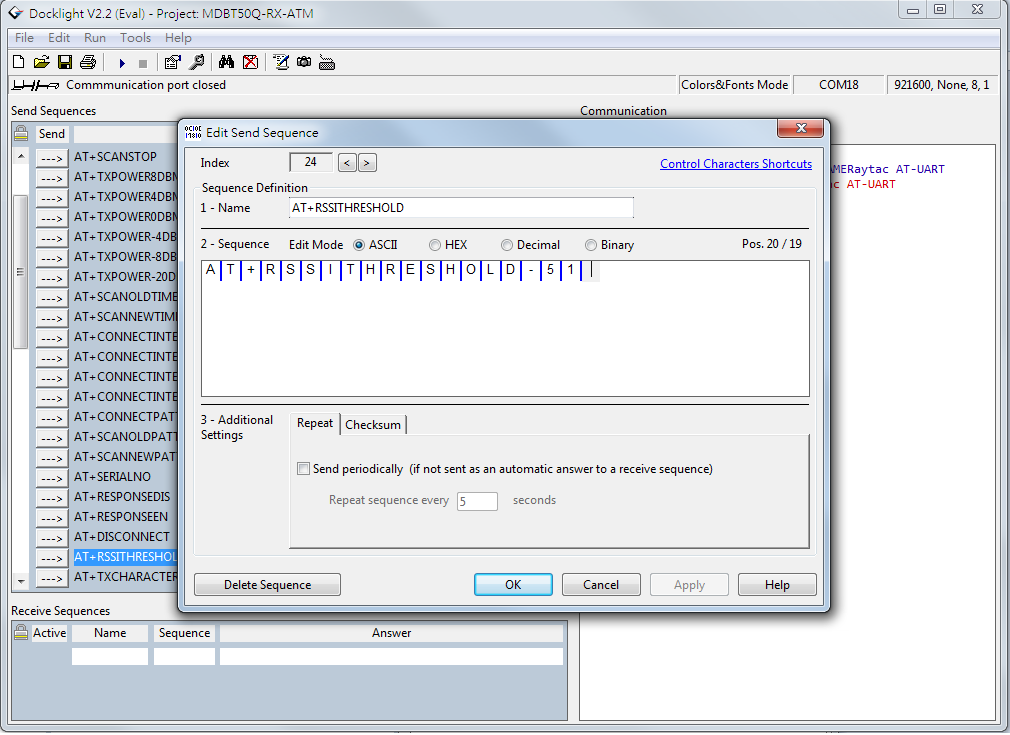
The standard value of Raytac’s AT-Command modules/dongle is -51 and the setting screen looks like this:
  1. Slave device’s SDK

What many new customers seem to believe is that if you use our AT-Command modules/dongles, you won’t need to do anything – they will just magically communicate with each other somehow.
I hate to break it to you, but no… that’s not how it works. You will have to at least make sure that the two devices “speak the same language". As for our AT-Command modules/dongles, or in this case MDBT50Q-RX-ATM, it is through a “language" (a.k.a. protocol) called UART.
First of all, “UART" is not “U-ART" although it’s kind of pronounced that way, but it’s an abbreviation that stands for Universal Asynchronous Receiver/Transmitter. You can read about it here.
I will spare you all the details about the UART protocol itself, but one thing that we will need to make sure of is that you have it installed onto your slave device.

Hopefully, you’ve downloaded Nordic’s latest SDK and you have it ready on your computer. You can download them directly HERE.
Note: This file is quite big (~130MB), so DO NOT click on the last link if you don’t want to download this on your current device.

Inside this file, you will find a lot of stuff. However, for this particular case, we only really need to care about the “examples" folder.
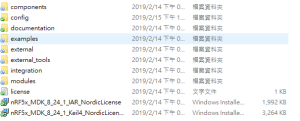
31bcd-nordic2bsdk2bfolder

In this folder, we will have (surprise surprise!) even more folders 😀
As per usual, we don’t have to check them all out. In this case, we specifically only want to check the “ble_peripheral" and the “peripheral" folders.

003e6-nordic2bsdk2bfolder2b2528examples2b-2bble_peripheral2529

Go into the former folder and you’ll find see the following folders in which you will want to enter the “ble_app_uart" folder.:

484a6-nordic2bsdk2bfolder2b2528examples2b-2bble_peripheral2b-2bble_app_uart2529

In this folder, you will see five more folders and two files, but we only want to check out one of them depending on which chip type you’re using in your slave device. Let’s say you’re using a nRF52832 chip (or module such as MDBT42Q-P512KV2), then you’d want to enter the first folder called pca10040. Check the picture below to see which folder you’d want to enter:
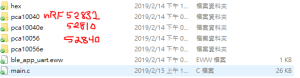
ab33e-nordic2bsdk2bfolder2b2528examples2b-2bble_peripheral2b-2bble_app_uart2b-2bboardversionselection2529

Assuming you entered the folder that I mentioned above, you will then want to enter the “s132″ folder.

91608-nordic2bsdk2bfolder2b2528examples2b-2bble_peripheral2b-2bble_app_uart2b-2bboardversionselection2b-2bs1322529

Once you’re in here, I am pretty sure you developers out there know what to pick 🙂

In the beginning of this section, however, I also mentioned another folder called “peripheral" which we will guide you through now – even if it’s very similar to what we just did.
692fd-nordic2bsdk2bfolder2b2528examples2b-2bperipheral2529
As you can see, there are a TON of folders in here, but we will cherry-pick our folders here too.
Let’s say that you’d like to be able to make your slave device to read and transmit information from a sensor. Supposedly, most sensors use either the I2C or the SPI interface. In each respective folder, you will find the same folder layout as in the previous picture – folders representing what chip/module you have.
The main point of showing you this is simply because from these two folders, you can snatch the small amount of code that you need to edit the main code of your UART main-code so that you can both read and send the data from the sensor you might have.

Hopefully, you’ve now started to realize how these things come together and we can finally start to connect these devices. This takes us to the next step:

  1. ATSCANNEW

Once that’s done, you will need to use your AT-Command module/dongle (here MDBT50Q-RX-ATM) to scan for the slave device that you want to pair. To do this, you first have to make sure your slave device is broadcasting, then execute a command called ATSCANNEW.
Once you’ve done so, your MDBT50Q-RX-ATM’s blue LED will hopefully go from fast blinking to a slower blinking. This means that your two devices, master and slave, have now paired successfully. Wohoo! 🙂

We hope that this makes our AT-Command modules/dongles even easier to use!
Raytac wishes you all happy tinkering 🙂

Raytac Corporation 勁達國際電子有限公司 A BT 5.1 & BT 5 & BT 4.2 module maker based on Nordic nRF53 & nRF52 solution (nRF5340 & nRF52840 & nRF52832 & nRF52811 & nRF52810 & nRF51822)

www.raytac.com email:service@raytac.com Tel: +886.2.3234.0208

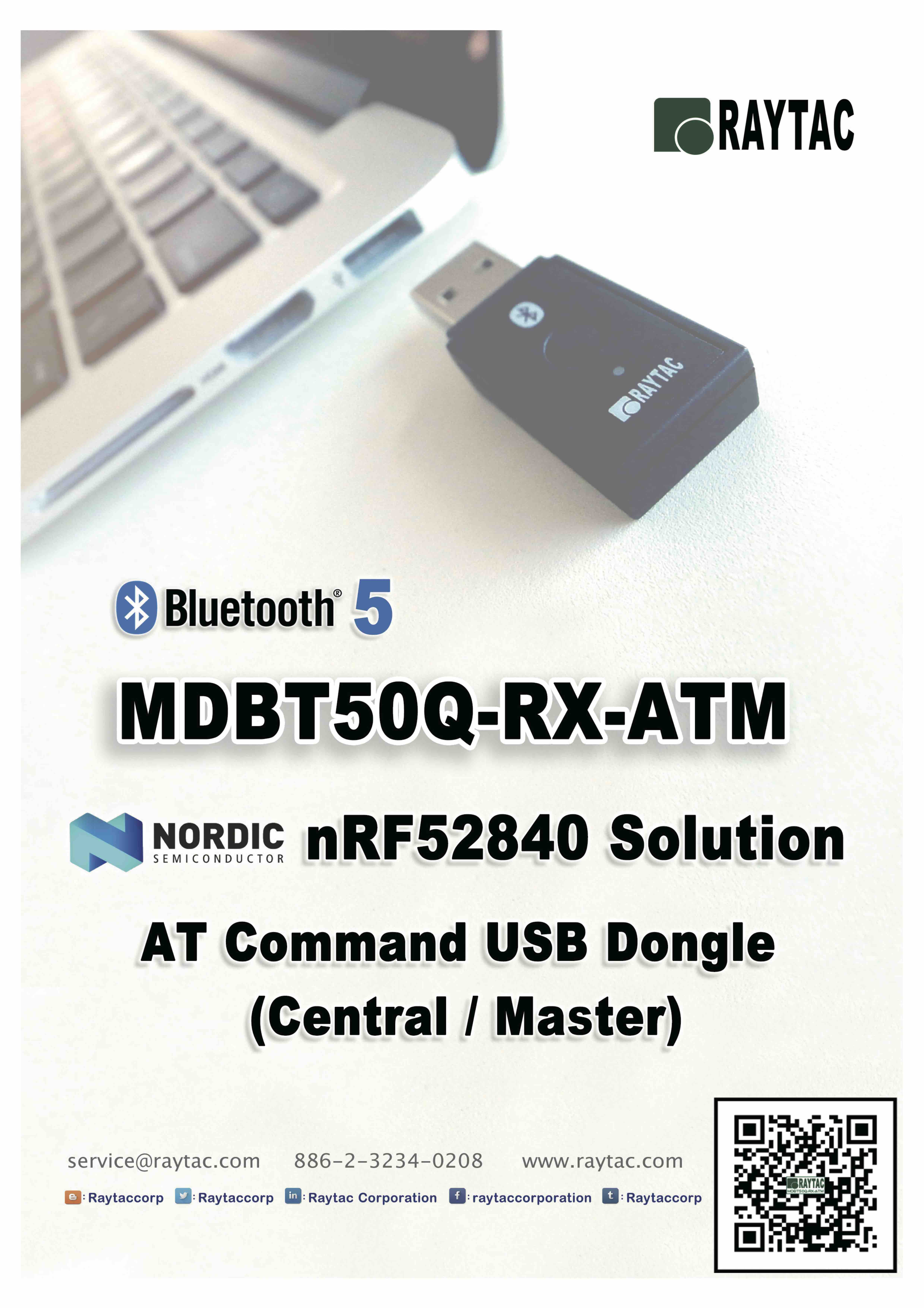
nRF52840 AT Command USB Dongle MDBT50Q-RX-ATM

To have an easy understanding of Raytac’s AT Command USB Dongle, here provides the command table for reader’s easy reference.We encourage readers to visit Raytac’s website to obtain the detail information

MDBT50Q-RX-ATM

MDBT50Q-RX-ATM-1.jpg

Raytac AT command is built based on Nordic UART service, aka NUS, which is similar to SPP (Serial Port Profile) applied in Classic Bluetooth (BT2 and BT3)

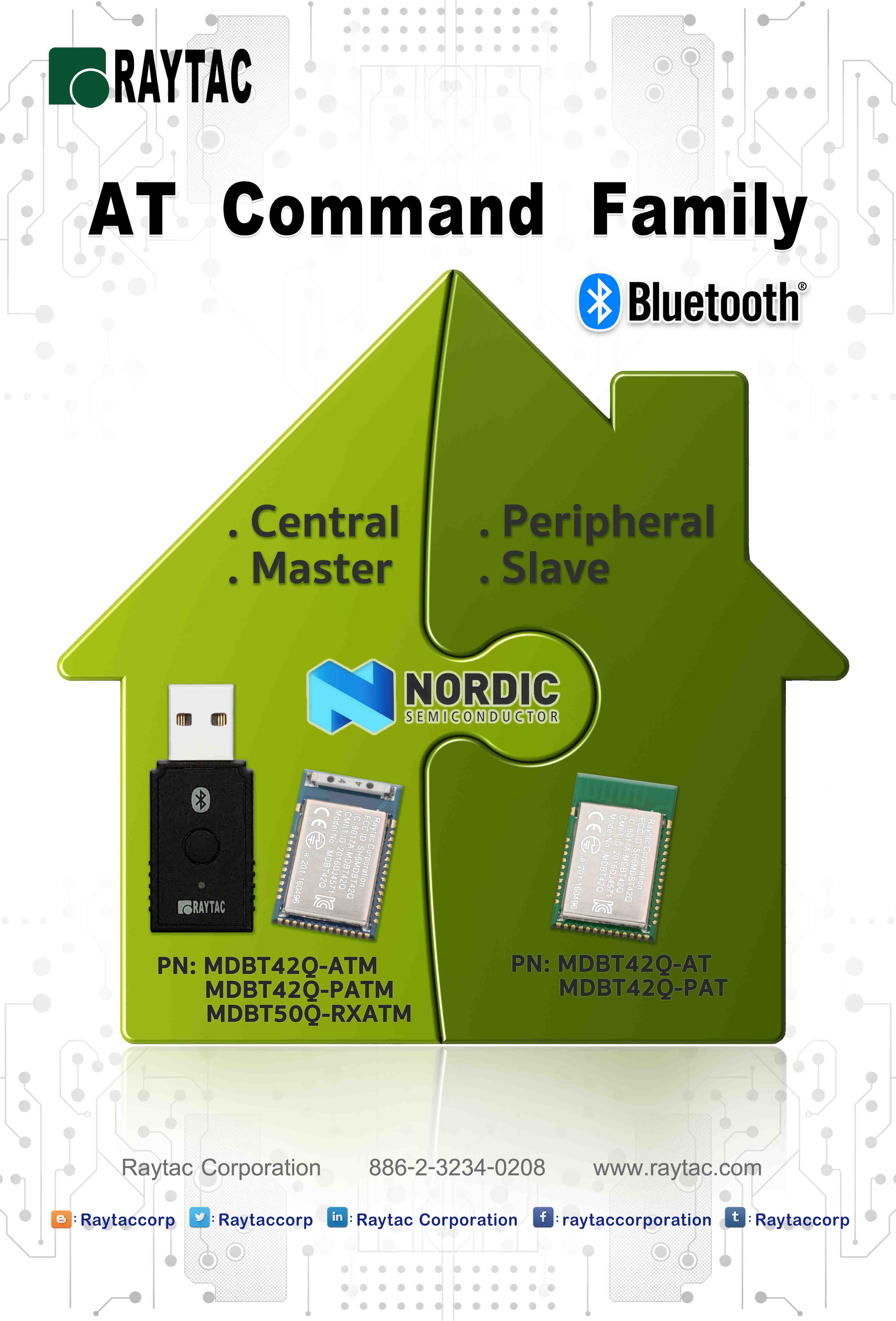
To service the Bluetooth bridging works, AT command modules or dongle comes with both Central/Master & Peripheral/ Slave role available.

Latest released MDBT50Q-RX-ATM is a USB dongle designated to connect to PC or Machine acted as the Central / Mater role supporting below commands.

List of supported commands

  • Setting of scanned device name
  • Setting of scanned base UUID/service UUID/TX character/RX character
  • Setting of scanned RSSI threshold
  • Selective data rate of 1M bps, 2M bps or 125K bps on-air
  • Set TX output power in 6 levels.
  • Set scanning time
  • Enable/disable scanning
  • Set LED pattern indicating scanning or connecting status
  • Auto UART baud rates
  • Use external 32.768KHz oscillator
  • Recover-to-default setting with software method
  • System reset of software
  • Set serial number and retrieve
  • Retrieve MAC Address
  • Support maximum MTU 247bytes / data payload up to maximum 244 bytes

MDBT50Q-RX-ATM-2 Command Table.jpg

Raytac Corporation 勁達國際電子有限公司A BT5 & BT 4.2 & BTv4.1 module maker based on Nordic nRF51 & nRF52 solution

(nRF51822 & nRF52832 & nRF52810 & nRF52811 & nRF52840)

www.raytac.com email: cs@raytac.com Tel: +886.2.3234.0208

Raytac Central Role AT Command USB Dongle MDBT50Q-RX-ATM Released

Raytac today announced (Central / Master) AT command dongle released.

Part No.:

MDBT50Q-RX-ATM

Raytac AT Command Module Family

nRF52840 is Nordic’s latest and advanced solution, which brings a new interface “USB" from other lines, has drawn the attention among developers. 


Raytac developed AT Command  (Master / Central ) solution based on nRF52840 solution, fulfilled the demand of USB interface, missioned to deliver a full coverage of AT Command product line.


Raytac’s nRF52840 USB AT Command dongle, MDBT50Q-RX-ATM is a BT5, FCC/IC/CE/Telec/KC/SRRC/NCC/RCM/WPC pre-certified dongle which is  eliminating the need for RF design expertise, and speeding time to market for complex M2M IoT applications. 


AT command module is an easy solution provides developers a quick breakthrough to Bluetooth connection. Without firmware effort needed, simply have commands setting on MCU and the start to enjoy the implement of bridging connectivity between devices through Bluetooth.

After Raytac’s completed both Central (Master) & Peripheral (Salve) role AT command module projects, the USB interface has brought up the strongest demand by developers.

Raytac Corporation 勁達國際電子有限公司
A BT5 & BT 4.2 & BTv4.1 module maker based on Nordic nRF51 & nRF52 solution
(nRF51822 & nRF51422 & nRF52832 & nRF52810 & & nRF52811 &nRF52840)
www.raytac.com email: cs@raytac.com Tel: +886.2.3234.0208