
Setting up Nordic’s IDE (Integrated Development Environment) is the first step into Bluetooth product development, and it’s also where most developers need support.
In order for developers to be able to smoothly set up their IDE, Raytac hereby provide you with a few easy steps.
First and foremost – In terms of IDEs, there are currently four different ones that are all viable; Segger Embedded Studio (SES), Keil C, IAR and GCC. Among these, SES and GCC are IDEs free of charge while Keil C and IAR both require the developer to pay a license fee to their respective company.
We at Raytac generally recommend SES, as it is an IDE brought forth by both Nordic and Segger together and it uses Segger J-Link. Although GCC is a free IDE, it only builds code and is impractical editting make file or debugging firmware. Thus, it’s not our primary choice.
Therefore, we will hereby provide you a step-by-step guide on how to set up your IDE when using SES.
- Where to download SES?
https://www.segger.com/downloads/embedded-studio/

- Where to Nordic SDK ( Use SDK v15.0.0 as an example)
https://developer.nordicsemi.com/nRF5_SDK/nRF5_SDK_v15.x.x/


- Install SES V3.34 and unzip SDK v15.0.0
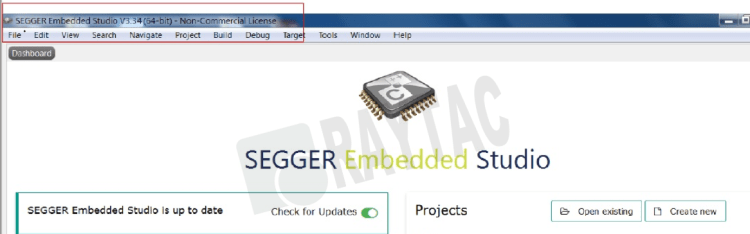
- SES License Key? http://license.segger.com/Nordic.cgi
- How to get free License Key?
Key in Name, Company name, Address and PC’s MAC address. Then press “Request License", the “License key" will send to your mail box automatically.


Tips: How look up PC’s Mac address: Pls enter DOS mode,
Key in ipconfig/all,
The Mac address will be found in Ethernet card.

- Copy the license key from mail
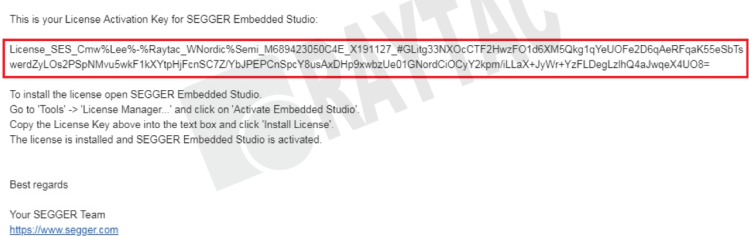
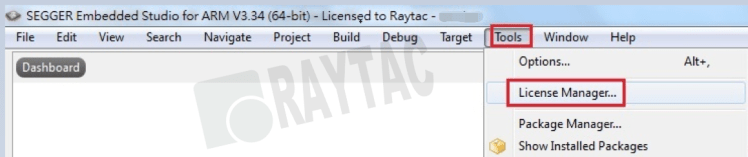
- Execute SES and find out the “License Manager" in “Tools" option
- Select “Activate Embedded Studio", Paste the “License Key", Click “Install License"
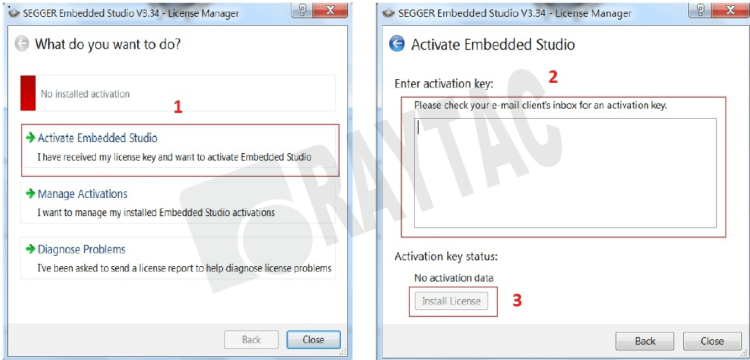
- When completed, click"Manage Activation",shown “License key" well installed.
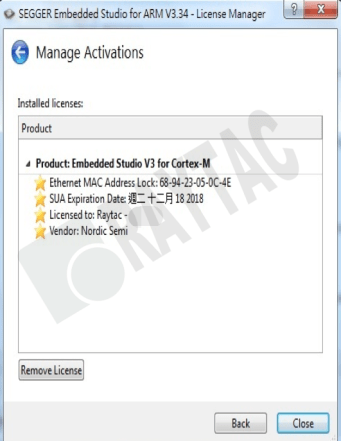
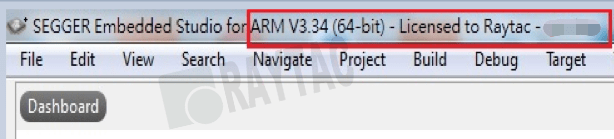
CMSIS Configuration Wizard,
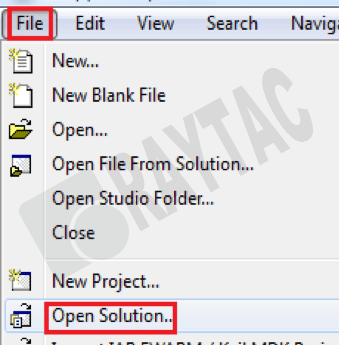
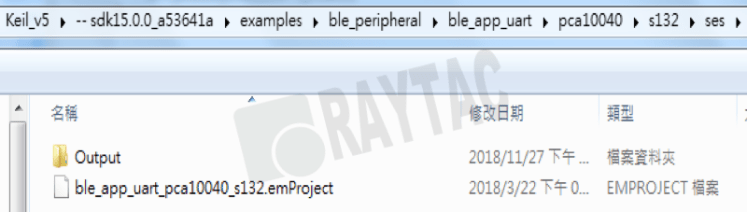
- Select “Open Solution" in SES’s File option to open SDK v15.0.0 project
..\examples\ble_peripheral\ble_app_uart\pca10040\s132\ses\ble_app_uart_pca10040_s132.emProject
- Select “Open Studio Folder" in SES’s File option, then select “External Tools Configuration". You may find the display as below screen shot. Pls paste the below command. (The command can also be found in below link)


- Please save the “tools.xml". Afterward, developers may able start over build code and debug works.
Build Code & Debug
Bluetooth & WiFi module maker based on Nordic nRF54, nRF53, nRF52, nRF7002 solution
BT5.4 &BT5.3 & BT5.2 & BT5.1 Qualified, FCC/IC/CE/Telec/KC/RCM/SRRC/NCC Pre-Certified. Bluetooth Solution: nRF54, nRF5340, nRF52840, nRF52833, nRF52832, nRF52820, nRF52811, nRF52810, nRF52805, nRF51822 WiFi Solution: nRF7002
www.raytac.com
email:service@raytac.com
Tel: +886.2.3234.0208




 Raytac Corporation