

Hi readers, did you know that Raytac offers a special service exclusively for our customers? 😉
We offer support services: HEX file verification and flashing firmware into modules per customer’s requests.
Compared to the series nRF52 and nRF53’s 2 in 1 or 3 in 1 merged hex files, nRF54L15 requires something slightly different. Following are the tips and suggestions.
Before building your own .hex file on Raytac’s nRF54L15 modules(Product link), please configure some settings(shown below) in advance.
In VS Code:
- Go to Add Build Configuration
- Find System Build (sysbuild) ➝ Choose Build System Default
- Click Generate and Build

Starting from NCS v2.8.0 (including later versions), the .hex file can be generated in two different paths.
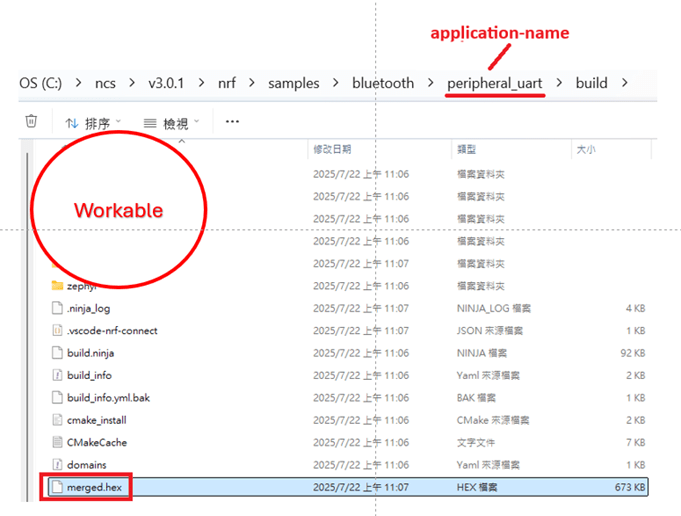
1. ..\nrf\samples\bluetooth\application-name\build\merged.hex
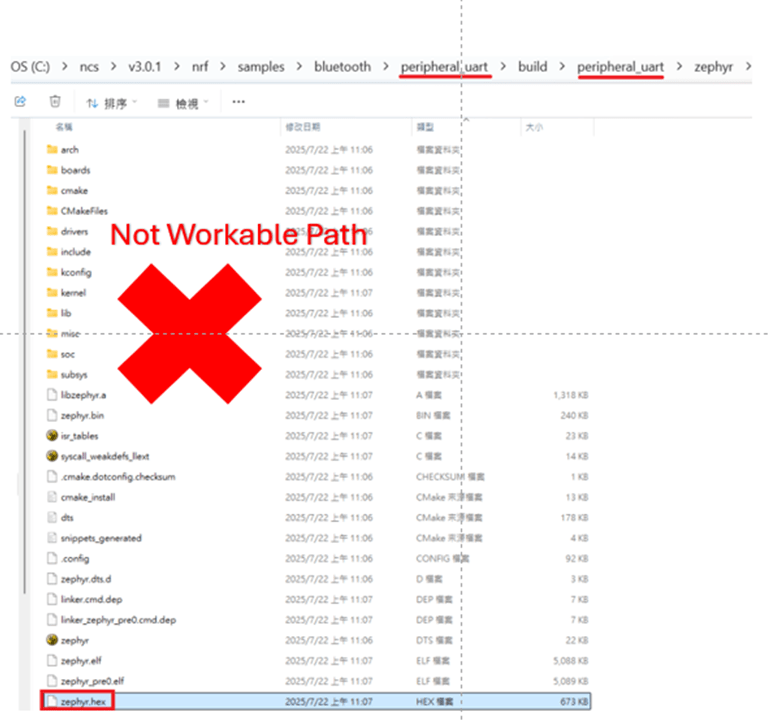
2. ..\nrf\samples\bluetooth\application-name\build\application-name\zephyr\zephyr.hex
Using the AN54LQ/AN54LV series as an example:
When you provide the programming file (.hex) for production, please ensure that the file is taken from the following path:
1. ..\nrf\samples\bluetooth\application-name\build\merged.hex
And we also do not recommend renaming the merged HEX file due to Nordic suggestions.
For more details behind this suggestion, please refer to the Nordic DevZone link below.
https://devzone.nordicsemi.com/f/nordic-q-a/120313/how-to-modify-the-name-of-the-merged-hex-file
Suggested path:
1. ..\nrf\samples\bluetooth\application-name\build\merged.hex
Not recommended path:
2. ..\nrf\samples\bluetooth\application-name\build\application-name\zephyr\zephyr.hex
The zephyr.hex file is not recommended to be used for flashing or verification in the production process.
Thank you all for your patience in reading!
Best wishes for your projects – your success is Raytac’s success! 😊
For more information, please contact:
Raytac Contact Form: https://www.raytac.com/contact/
Raytac Sales email: sales@raytac.com
abietec Service email: service@abietec.com
Edited by Account Manager: Ms. Elfreda Guo
Raytac Corporation 勁達國際電子股份有限公司 / Raytac Corporation (USA) / abietec Inc.
A Bluetooth, Wi-Fi, and LoRa Module Maker/ODM & OEM Manufacturer based on
Nordic nRF54; nRF53: nRF52; nRF51; nRF7002
Semtech Specification: SX1262
Bluetooth Specification: BT6 ; BT5.4 ; BT5.3 ; BT5.2.
Wi-Fi Specification: Wi-Fi 6
LoRa Specification: LoRaWAN
All products are FCC/IC/CE/Telec/KC/RCM/SRRC/NCC/WPC/RoHS/Reach Pre-Certified.
http://www.raytac.com
https://www.raytac.com/contact/
email: sales@raytac.com
Tel: +886-2-3234-0208(TW)/+1-626-217-3139(USA)

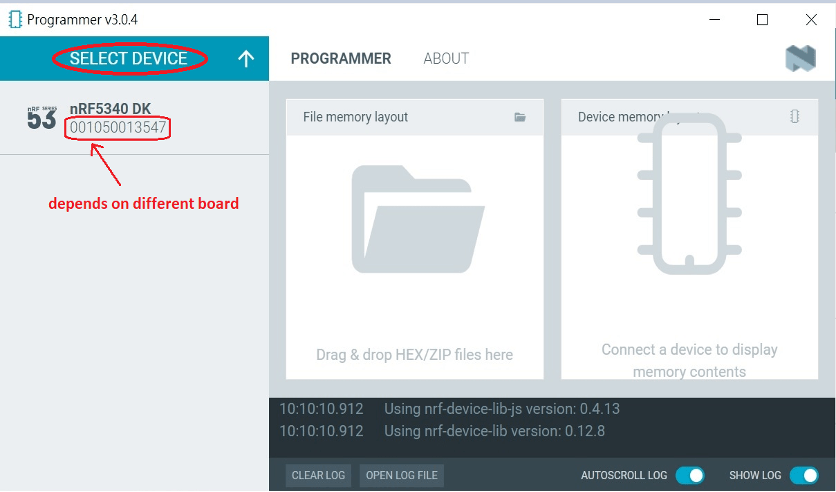


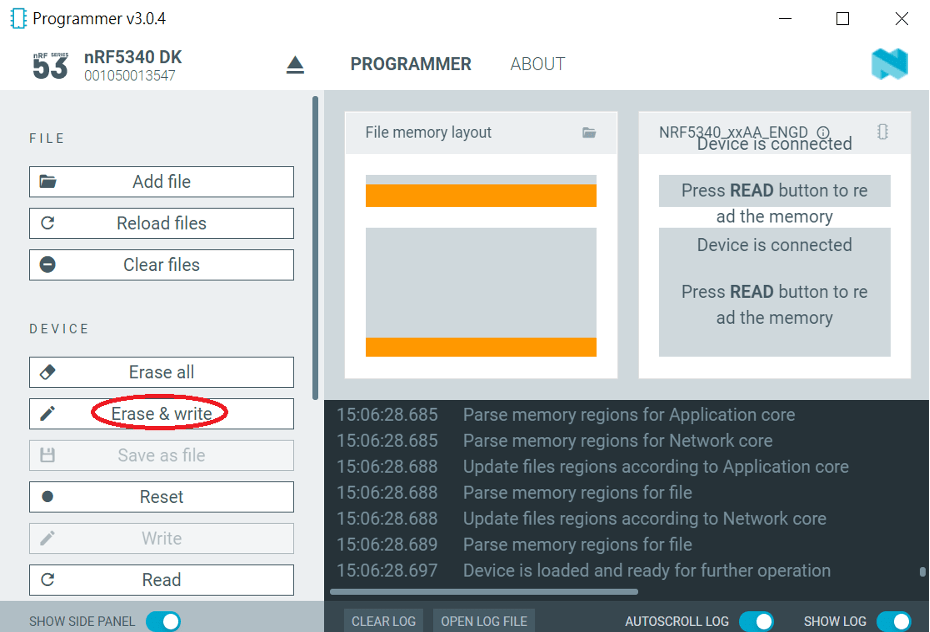
 Raytac Corporation