New Distribution Partnership in India Region – Millennium Semiconductors

Raytac Corporation, a globally recognized third-party Bluetooth module supplier endorsed by Nordic Semiconductor, has announced a strategic collaboration with Millennium Semiconductor, a specialized electronic agent, starting from November 2023. The establishment of this partnership aims to jointly expand into the Indian market and provide comprehensive services to customers in different regions. Raytac Corporation has consistently focused on the wireless field, earning a reputation as a leading provider of Bluetooth Low Energy modules with outstanding technological capabilities. Additionally, Raytac offers the latest WiFi + BLE modules and a complete range of solutions from Nordic.

The product lineup includes series such as nRF54, nRF5340, nRF52840, nRF52833, nRF52832, nRF52820, nRF52811, nRF52810, nRF52805, nRF51822, all of which have obtained qualifications for BT5.4, BT5.3, BT5.2, and BT5.1. Furthermore, the nRF7002 represents the first device in our array of distinct Wi-Fi products, seamlessly combining with Nordic’s established ultra-low power technologies. Raytac Corporation’s modules have received Bluetooth (QDID/DID/BQB) and regulatory certifications from various countries and regions, including FCC (USA), CE (Europe), IC (Canada),TELEC (Japan), KC (Korea), SRRC (China), NCC (Taiwan), RCM (Australia/New Zealand), and others.

In addition to delivering excellent performance and transmission distances, Raytac Corporation’s modules are relatively compact in size, offering a diverse range of module series choices. This flexibility empowers developers to design without being constrained by module dimensions. Furthermore, the inclusion of AT Command by Raytac facilitates a quick entry for developers into the realms of Bluetooth and the Internet of Things.

Millennium Semiconductors India Private Limited, 

17/18/19, 2nd Floor, Mahalaxmi Heights, Mumbai-Pune Road, Pimpri, Pune 411 018, Maharashtra, INDIA.

+91 20 67177100 / 151, +91 9130015701

info@millenniumsemi.com

Edited by Sales Manager: Ms. Mandy Chao

Raytac Corporation

勁達國際電子股份有限公司
Bluetooth & WiFi module maker based on Nordic nRF54, nRF53, nRF52, nRF7002 solution
BT5.4 &BT5.3 & BT5.2 & BT5.1 Qualified, FCC/IC/CE/Telec/KC/RCM/SRRC/NCC Pre-Certified. Bluetooth Solution: nRF54, nRF5340, nRF52840, nRF52833, nRF52832, nRF52820, nRF52811, nRF52810, nRF52805, nRF51822 WiFi Solution: nRF7002
www.raytac.com
email:service@raytac.com
Tel: +886.2.3234.0208

Tips for Nordic’s nRF52840 DK to successfully detect Raytac’s MDBT50Q-DB-40 Demo Board

WHY Nordic’s DK cannot DETECT Raytac’s modules?

Some tips to fix this problem

Nordic’S board no : PCA10056 (nRF52840)

Raytac’s board no : MDBT50Q-DB-40 (nRF52840)


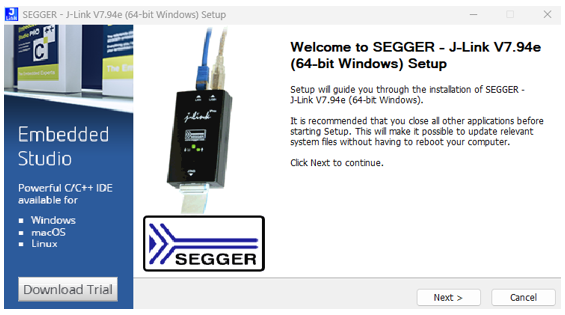
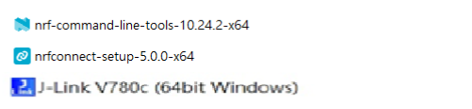
1. Update the version of nRF Command Line Tools from below link
https://www.nordicsemi.com/Products/Development-tools/nRF-Command-Line-Tools/Download?lang=en#infotabs

2. Update the version of jlink driver from below link.
https://www.segger.com/downloads/jlink/JLink_Windows_V780c_x86_64.exe


3. Update the version of nRF Connect for desktop.
nRF connect for desktop V4.1.2
Programmer V3.0.9


4. Add jumper wire for GND shown as the below red arrow to avoid the different power reference between these 2 boards.


5. Make sure that IDE cable connects correctly. Red edge of IDE cable should connect to PIN 1 of both boards.

6. Supply power to VDD of Raytac’s demo board before flashing.


Edited by Sales Manager: Ms. Gracie Chuang

Raytac Corporation 勁達國際電子股份有限公司

Bluetooth & WiFi module maker based on Nordic nRF54, nRF53, nRF52, nRF7002 solution
BT5.4 &BT5.3 & BT5.2 & BT5.1 Qualified, FCC/IC/CE/Telec/KC/RCM/SRRC/NCC Pre-Certified.
Bluetooth Solution: nRF54, nRF5340, nRF52840, nRF52833, nRF52832, nRF52820, nRF52811, nRF52810, nRF52805, nRF51822 WiFi Solution: nRF7002
https://www.raytac.com
email:service@raytac.com
Tel: +886.2.3234.0208

Matter, New Era of Connection, Introduction & Certification

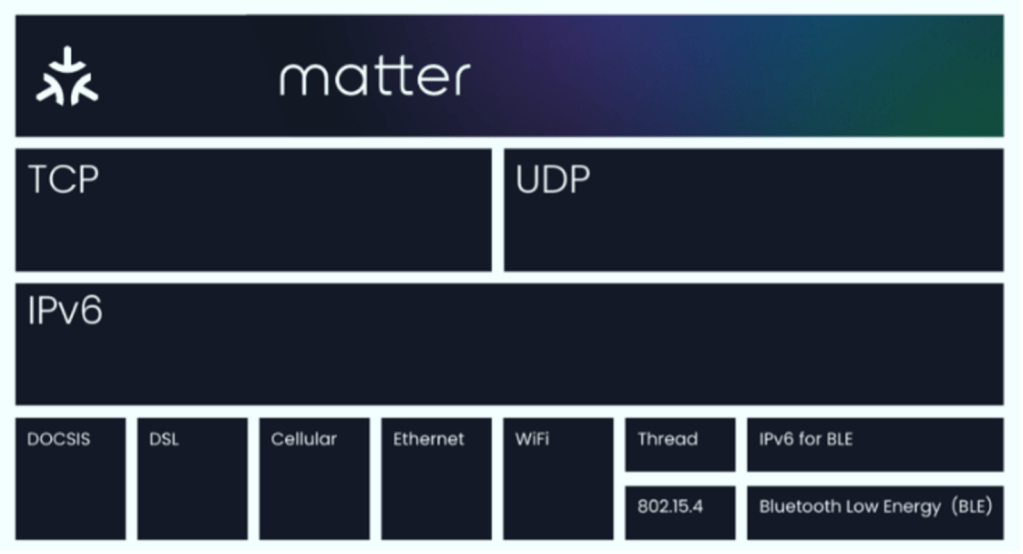
Matter aims to build a universal IPv6-based communication protocol to make it easier for smart home devices to communicate with each other. The protocol defines the application layer that will be deployed on devices as well as the different link layers to help maintain interoperability. Matter protocol built from the best pieces of existing trustworthy protocols, including Google Weave, Apple HomeKit, and Zigbee.

Matter is using Thread, Wi-Fi, and Ethernet for transport and Bluetooth Low Energy (BLE) for device commissioning to support a host of smart home devices. Any smart home gadgets you have that use these technologies should be able to be bridged into Matter.

Overall, Matter 1.0 simplifies the process of connecting smart home devices and enables seamless communication between them, regardless of their brand or manufacturer.

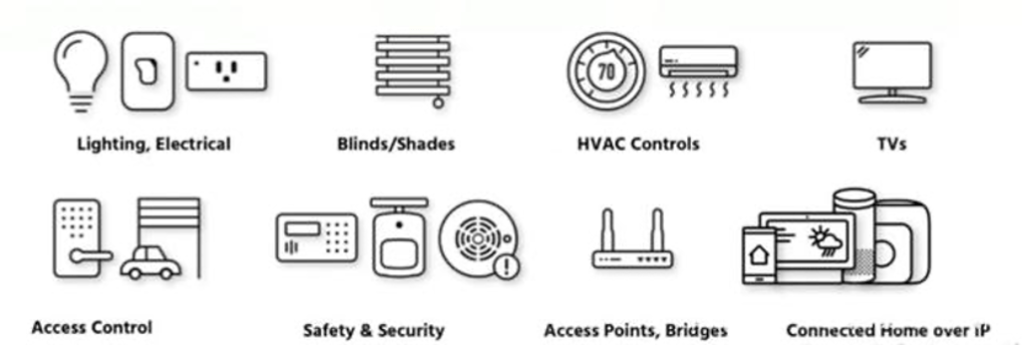
Matter 1.0 specs already support a variety of common smart home products, including lighting and electrical, HVAC controls, window coverings and shades, safety and security sensors, door locks, media devices including TVs, controllers as both devices and applications, and bridges. Support for security cameras, smart speakers, home appliances and robotic vacuums is already planned for subsequent versions of Matter. With the ecosystem expansion, new use cases and applications are expected to emerge.

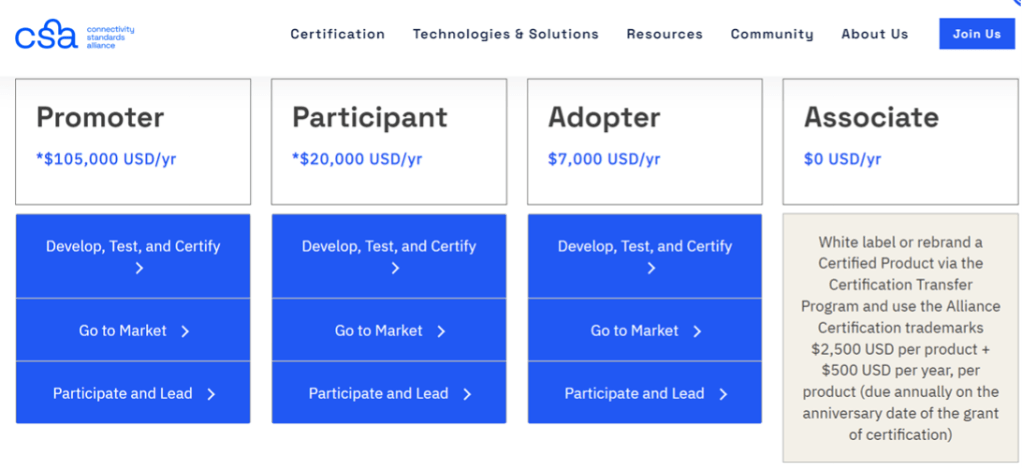
Certification Process

Matter Testing


The Matter 1.0 standard launches with test cases and comprehensive test tools for Alliance members and a global certification program including nine authorized test labs who are primed to test not only Matter, but also Matter’s underlying network technologies, Wi-Fi and Thread. Wi-Fi enables Matter devices to interact over a high-bandwidth local network and allows smart home devices to communicate with the cloud. Thread provides an energy efficient and highly reliable mesh network within the home.

Authorized Testing Providers

Edited by Sales Manager: Mr. Neo Hsu

Raytac Corporation 勁達國際電子有限公司
A BT5.2 & BT5.1 & BT5 module maker based on Nordic nRF53 & nRF52 solution 
(nRF5340 & nRF52840 & nRF52833 & nRF52832 & nRF52820 & nRF52811 & nRF52810 & nRF52805)
www.raytac.com email: service@raytac.com Tel: +886.2.3234.0208

How To Use nRF52840/nRF52833 module DevKit(MDBT50Q series) – 2024 Update – Applied to nRF5 SDK

Preface:
Here provides an easy introduction of How to set up of nRF52840 & nRF52833 Module Demo board MDBT50Q-DB-40 (for nRF52840) & MDBT50Q-DB-33 (for nRF52833)


MDBT50Q-DB-40  is a Demo Board built by Raytac’s MDBT50Q-1MV2  with Red PCBA deployed nRF52840 SoC with Bluetooth 5 & Thread Combo, with 1MB Flash Memory and 256KB RAM and Chip Antenna.
 
MDBT50Q-DB-33 is a Demo Board built by Raytac’s MDBT50Q-512K with Green PCBA deployed nRF52833 SoC with Bluetooth 5 & Thread Combo, with 512KB Flash Memory and 128KB RAM and Chip Antenna.
 
Both demo boards are Bluetooth BT5.4 qualified and FCC, IC, CE, Telec, KC, SRRC, RCM, NCC, WPC pre-certified.

Table of contents:

1.1 Hardware Set Up

1.2 Software Kits resources & preparations

1.3 Flash the ready firmware into Raytac’s module

1.4 DFU to MDBT50Q-DB-XX through USB interface 


1.1 Hardware Set Up
 
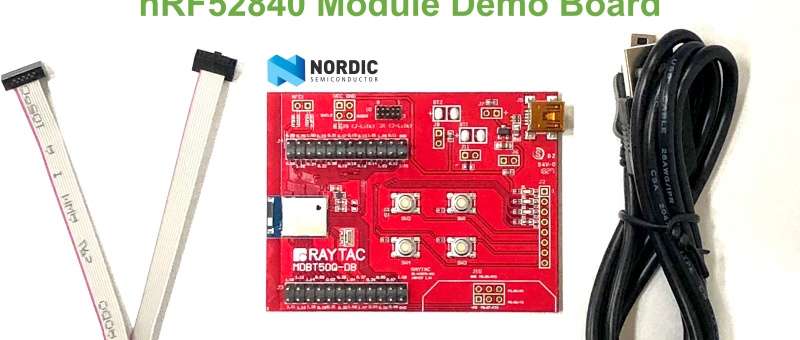
MDBT50Q-DB-XX package contains:
  • 1 x MDBT50Q-DB-40/MDBT50Q-DB-33
  • 1 x IDC Wire
  • 1 x Data/Power Mini USB Wire(for data transferring)

Where to buy MDBT50Q-DB-XX?

MDBT50Q-DB-40 (nRF52840 Solution)

MDBT50Q-DB-33 (nRF52833 Solution)
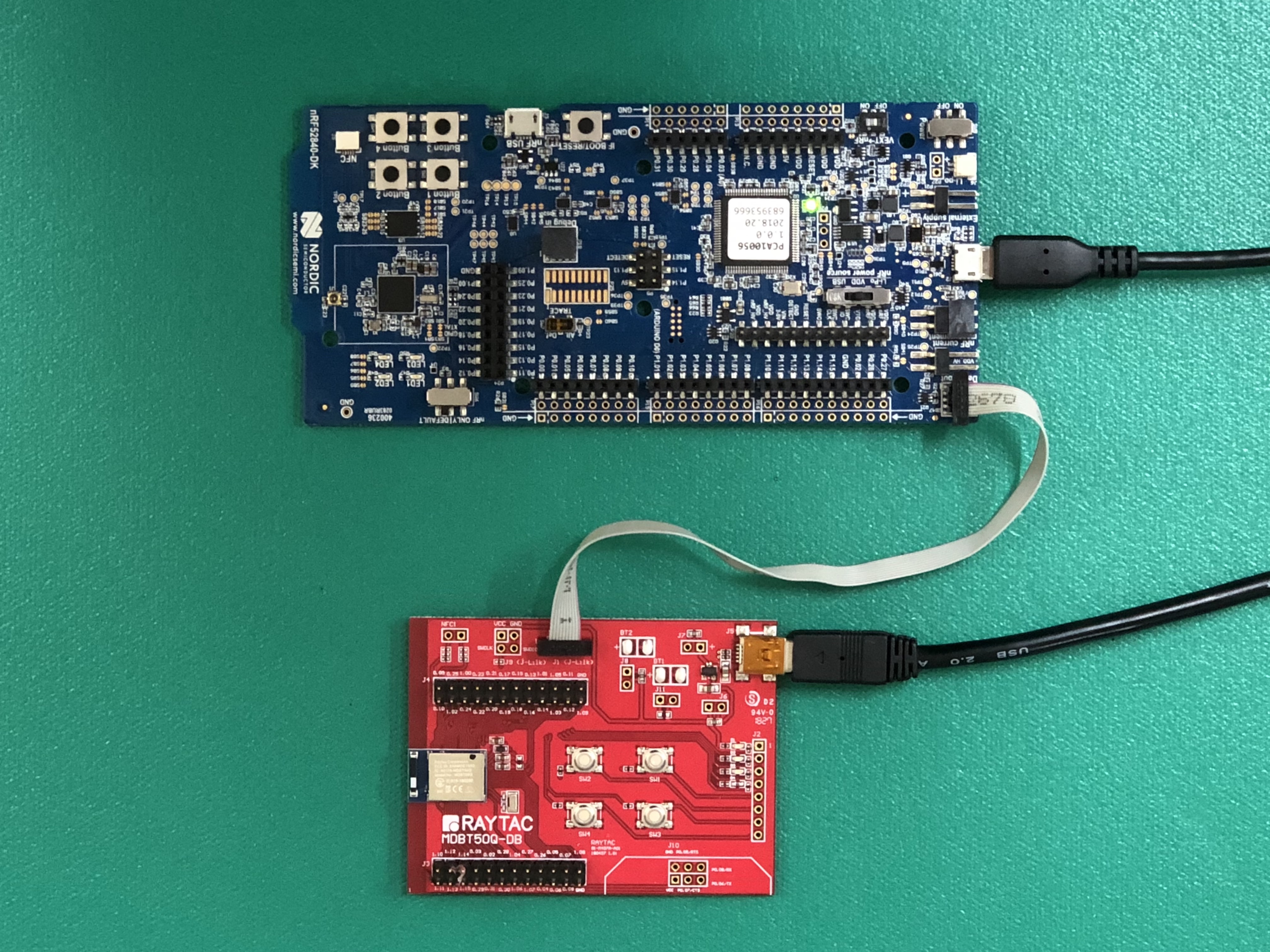
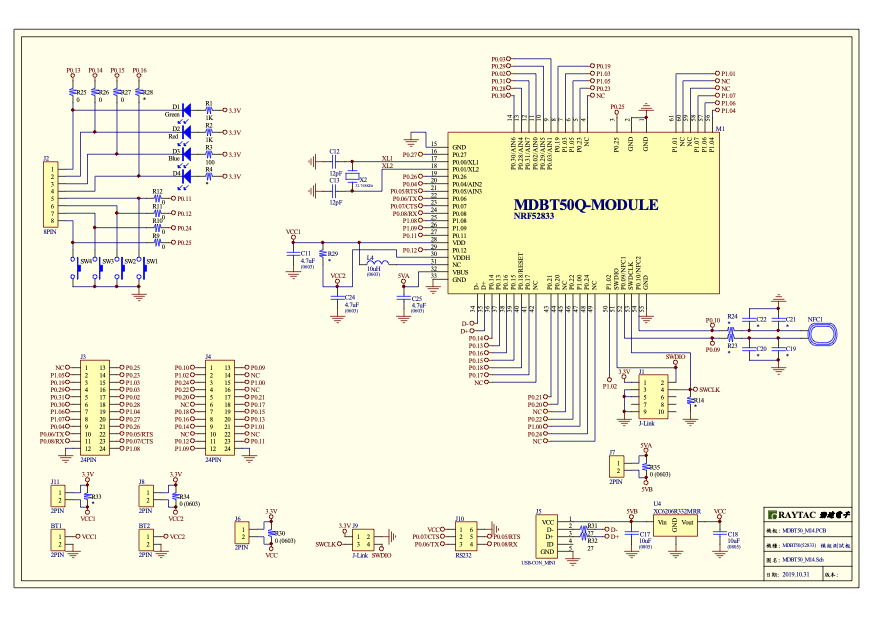
Connect Nordic NRF52-DK/NRF52840-DK Connect with MDBT50Q-DB-40 by IDC Wire

※Note: PCA10056 (NRF52840-DK) / PCA10040 (NRF52832-DK) / PCA10100(NRF52833-DK)

Power up MDBT50Q-DB-XX using Mini USB

IMG_0064.jpg
MDBT50Q-DB-40

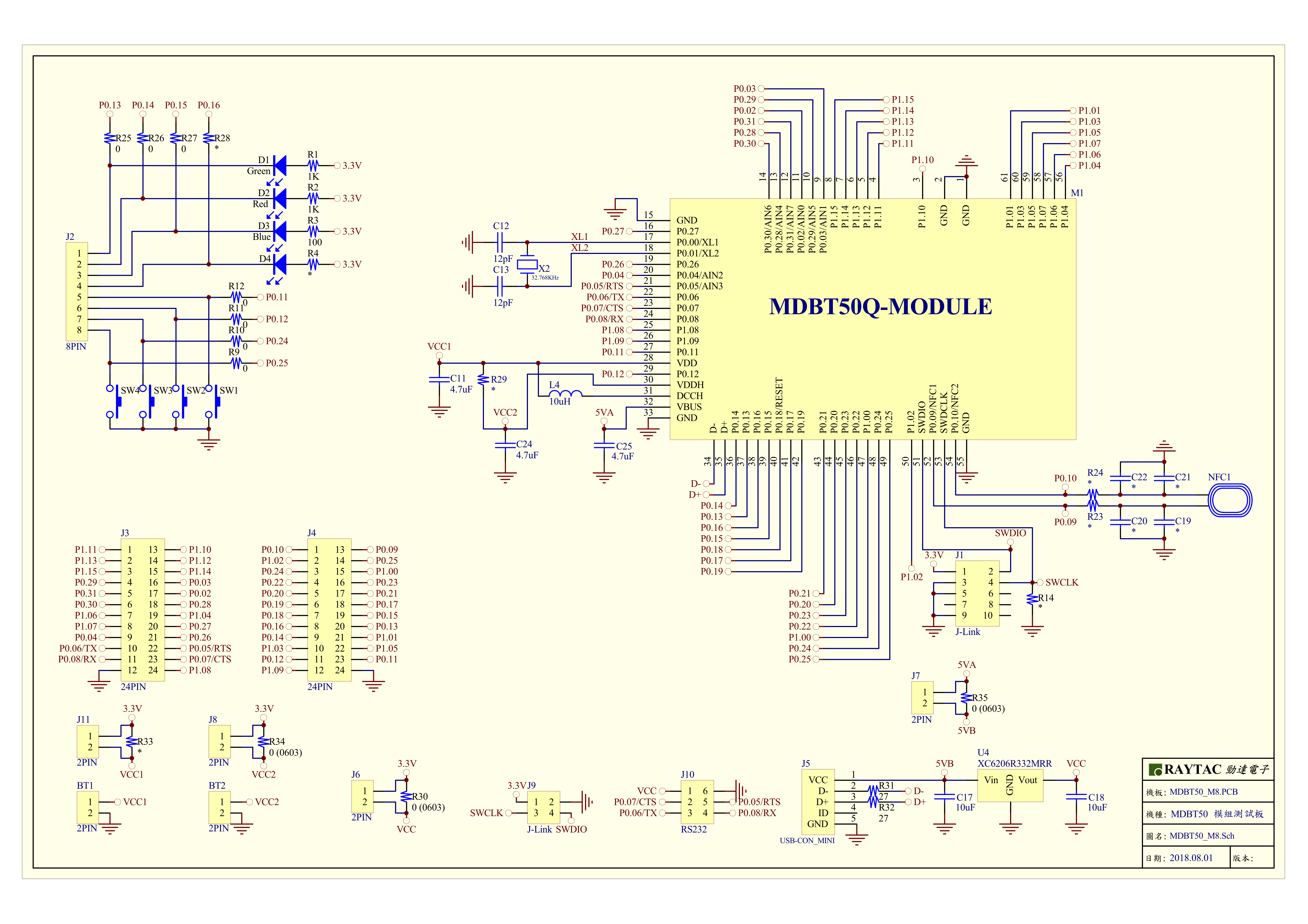
MDBT50Q-DB-40 Schematic:

MDBT50Q Demo Board Schematic-V2.jpg

MDBT50Q-DB-33 Schematic:

MDBT50Q-DB-33 Schematic


1.2 Software kits resources & preparations

Resources:

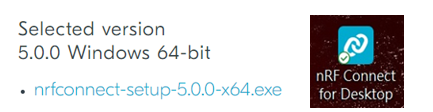
Download nRF Connect For Desktop (Please Click Me)

Download nRF Command Line Tools (Please Click Me)

Download NRF5 SDK (The latest V17.1.0) (Please Click Me)

Download Visal Studio Code(Please Click Me)

Preparations:

Option 1.  NRF5 SDK (The latest version V17.1.0)

  1. 1.0_ddde560\components\softdevice\s140\hex\ s140_nrf52_7.2.0_softdevice.hex
  2. 1.0_ddde560\examples\ble_peripheral\ble_app_uart\pca10056\s140\arm5_no_packs\_build\ nrf52840_xxaa.hex

*Tips: If you go with nRF5 SDK option, please consider to add a bootloader hex file if you’re going to make DFU requests in the future.

Option 2.  NCS (Recommended version V2.6.0)

螢幕擷取畫面 2024-06-04 161138

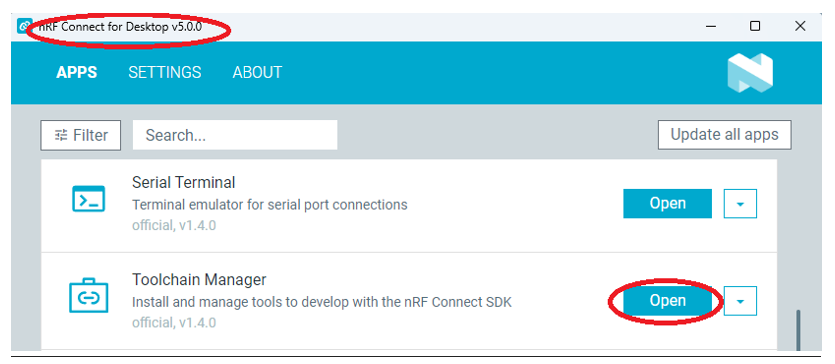
2A.  Find “Toolchain Manager” in app nRFConnect for Desktop

螢幕擷取畫面 2024-06-04 161251

2B.  Install nRFConnect SDK V2.6.0 to your working site.

螢幕擷取畫面 2024-06-04 161333

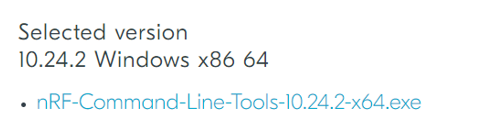
2C. Prepared with the latest version of nRF Command Line Tools
螢幕擷取畫面 2024-06-04 161627
 
**Note: SEGGER J-LINK Upgrade message might pop up while you’re doing above download.
螢幕擷取畫面 2024-06-04 161724
 
2D. Locate all the necessary kits for programming in PC

螢幕擷取畫面 2024-06-04 161810


1.3 Flash the ready firmware into Raytac’s module

Intro:

With the ready built code of zephyr.hex (Made through NCS) or nrf52840_xxaa.hex & s140_nrf52_7.2.0_softdevice.hex (Made through nRF5-SDK) file for application, we would like to move onto  flashing code into the MDBT50Q BLE module(mounted on MDBT50Q-DB-XX demo board).

Step1.  

Execute nRF Connect >>  Programmer  > > Open

螢幕擷取畫面 2024-06-04 161858

Step2.

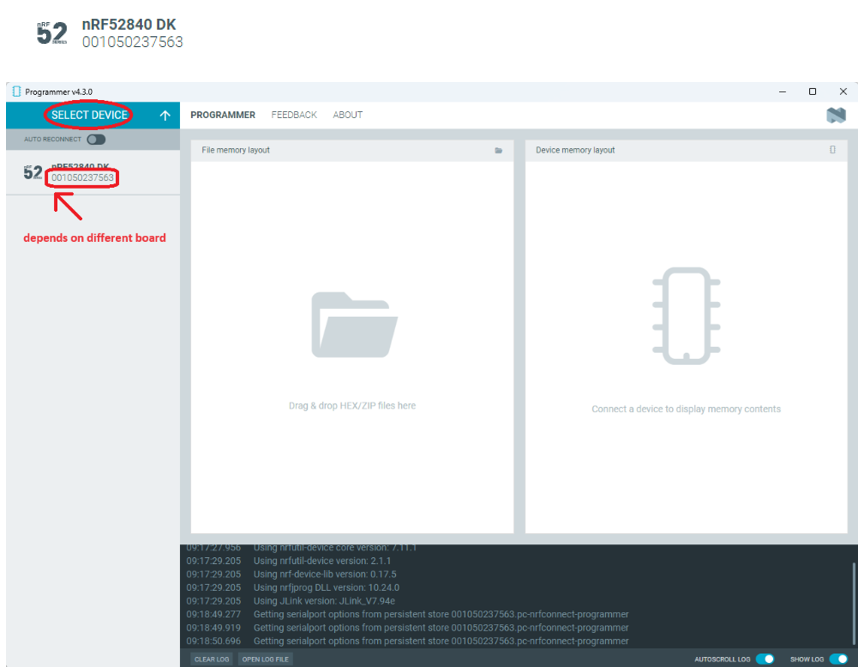
Click “SELECT DEVICE” >> Find icon “nRF52840 DK” which is detected by the programmer app

螢幕擷取畫面 2024-06-04 162005

Step3.

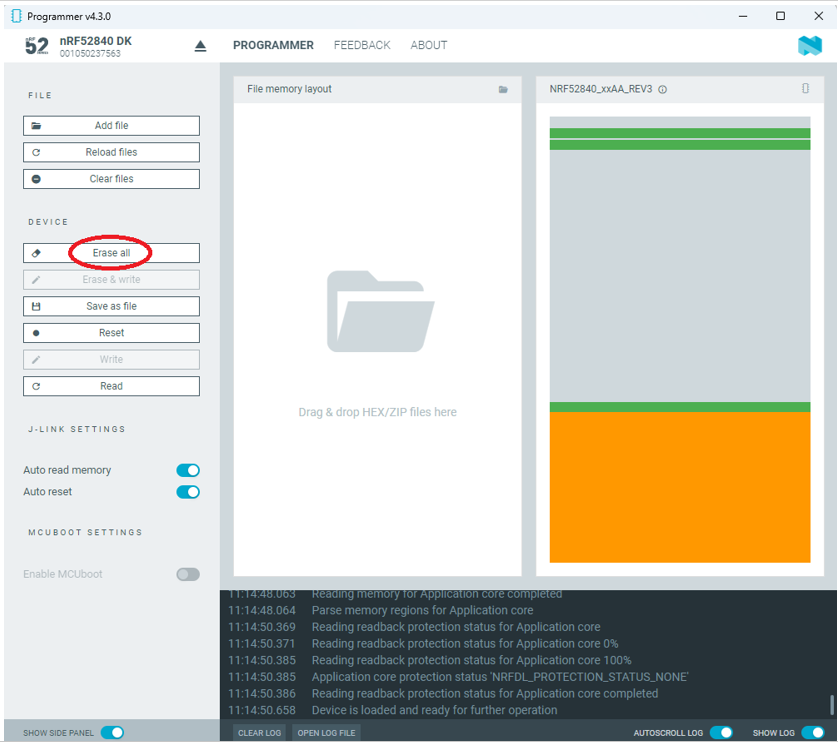
Click “nRF52840 DK”>> “Erase All” to remove flash memory inside MDBT50Q BLE Module

螢幕擷取畫面 2024-06-04 162106

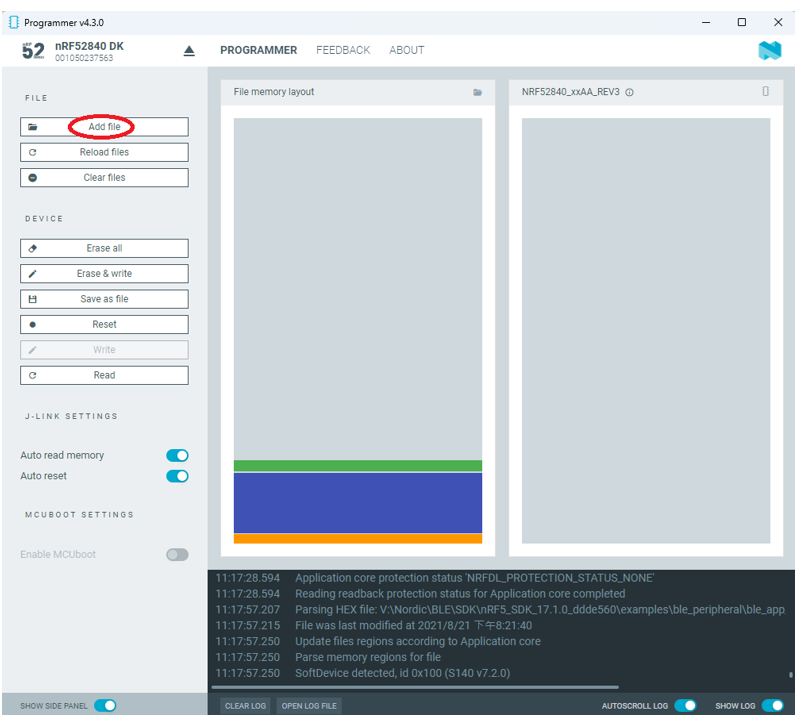
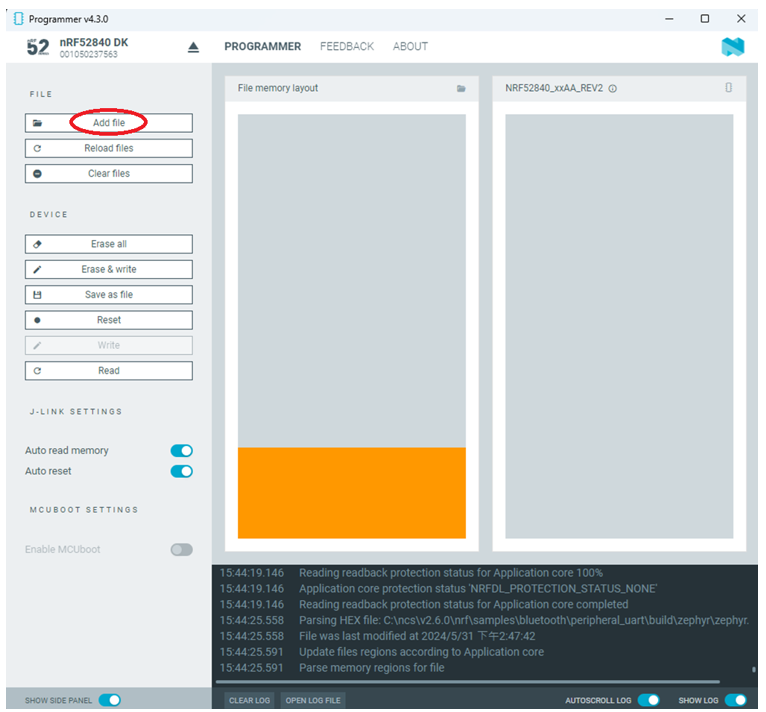
Step4.

Click “Add File” to load application zephyr.hex into programmer

螢幕擷取畫面 2024-06-04 162202

!! Important Tips:!!


  • If you’re using nRF Connect SDK for code compiling as above, Program the hex file to MDBT50Q BLE module on the MDBT50Q-DB Demo board:
    – C:\ncs\v2.6.0\nrf\samples\bluetooth\peripheral_uart\build\zephyr\zephyr.hex
  • If you’re using NRF5 SDK for code compiling, do make the 4-in-1 hex file (merged ready) before programming it to MDBT50Q BLE module.  It includes the 4 hex files below:

(1) bootloader.hex

(2) bootloader_setting_file.hex

(3) s140_nrf52_7.2.0_softdevice.hex

(4) nrf52840_xxaa.hex

螢幕擷取畫面 2024-06-04 162300


1.4 DFU to MDBT50Q-DB-XX through USB interface

Intro : Before DFU implement , Please make sure the bootloader file has been installed in your MDBT50Q BLE module.

※Note: NRF52840 SoC supports USB interface to utilize Device Firmware Update (DFU).

How do I prepare the software??

  • Download nrfutil.exe file from Nordic website .
  • It is workable to do List, Program, Recover, Erase, and operations with nRFutil device command to Nordic device.
  • Open DOS mode to install device command type: nrfutil install device

(Jocelyn) How To Use NRF52840 NRF52833 module Dev Kit (MDBT50Q Series) 2024 version - Release file

How do I setup the hardware??

  1. Press Switch 4 and hold
  2. Power up Demo Board
  3. Blue LED Lights on
  4. Demo Board successfully enters into USB DFU Mode

螢幕擷取畫面 2024-06-04 162504

How do I prepare the firmware??

**USB DFU works only in DOS mode.

**USB DFU only works when USB Bootloader installed in current loaded firmware (inside BLE Module)

A single, merged 4-in-1 hex file is required, which includes:

Bootloader, Bootloader setting, Softdevice, and Application.

Firmware DFU requires a .zip file.

USB DFU Execution Steps:

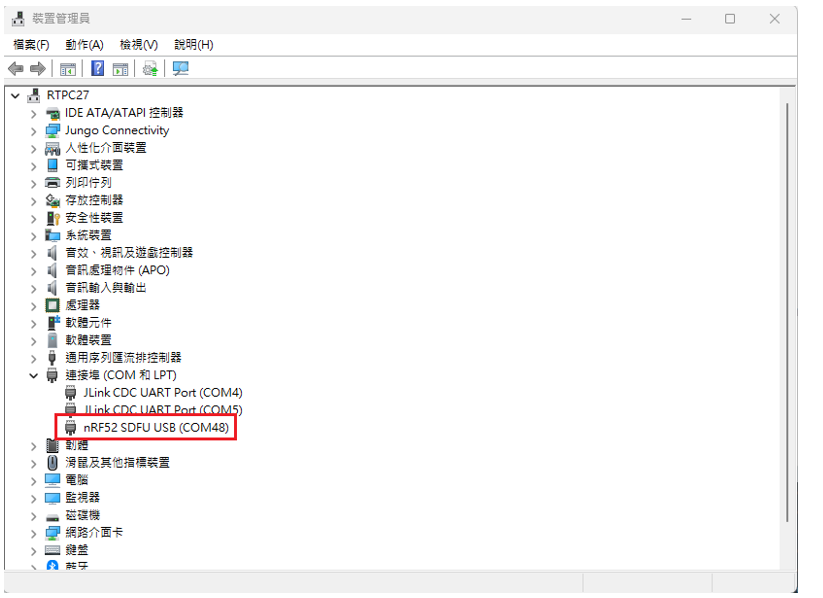
Step 1. When Blue LED Lights on with MDBT50Q-DB (Ready to enter USB DFU Mode)

Step 2. Find out Com Port No. “nRF52 SDFU USB(COMxx)”

螢幕擷取畫面 2024-06-04 162542


Step 3. Execute USB DFU

Option 1. Using device program command:

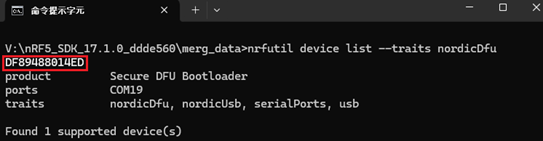
(1) List the devices with a DFU trigger interface by running:

nrfutil device list –traits nordicDfu

Option1-1

(2) Program new firmware to a device identified by its serial number by running:

nrfutil device program –firmware .zip nrf52840_xxaa.zip –serial-number XXXXXXXXXXXX

Option1-2