
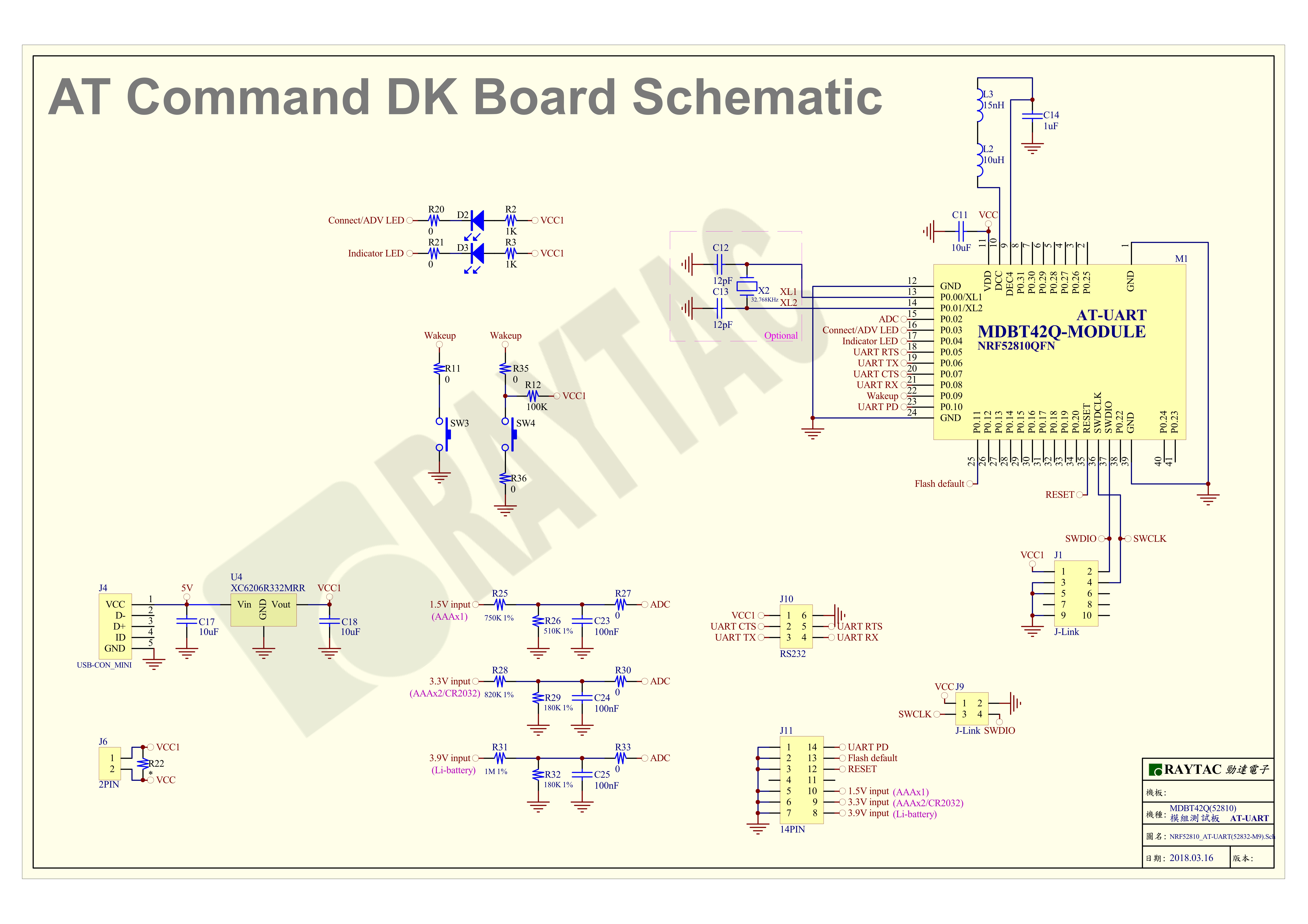
AT commands play a crucial role in wireless communication, IoT, and embedded systems.
This guide aims to assist developers in creating an appropriate environment for efficient AT command usage, ensuring smooth communication and application operation.
Credit to Hanyu Hsu /Avnet Taiwan.


Edited by Sales Manager: Ms. Mandy Chao
Raytac Corporation 勁達國際電子股份有限公司
Bluetooth & WiFi module maker based on Nordic nRF54, nRF53, nRF52, nRF7002 solution
BT5.4 &BT5.3 & BT5.2 & BT5.1 Qualified, FCC/IC/CE/Telec/KC/RCM/SRRC/NCC Pre-Certified.
Bluetooth Solution: nRF54, nRF5340, nRF52840, nRF52833, nRF52832, nRF52820, nRF52811, nRF52810, nRF52805, nRF51822 WiFi Solution: nRF7002
http://www.raytac.com
email:service@raytac.com
Tel: +886.2.3234.0208

 Raytac Corporation